
Written byJanet BashorunUpdated on Dec 27, 2025

Brief introduction: Downloading TikTok videos is now a global search trend for millions worldwide, but TikTok’s built-in download function is limited: many videos are un-downloadable, and saved ones have intrusive watermarks. Thus, mastering proper, safe ways to get clean HD TikTok videos is key, and this guide details all solutions from native tools to professional options like Tatasoft Video Tool.
In this article

With TikTok having evolved into a cultural powerhouse, marketing hub and educational hub, creators looking to repost content elsewhere, marketers analyzing industry trends, educators enriching lessons, and everyday viewers preserving beloved clips all search daily for reliable ways to save its videos. More people than ever want to save TikTok videos for various reasons:
TikTok’s algorithm-driven feed also means that great content can disappear without warning. By downloading videos locally, users gain control over their content rather than relying on TikTok’s unpredictable circulation.
When it comes to downloading TikTok videos, mobile and desktop methods differ significantly:
Mobile
Great for quick saves and on-the-go access. Ideal for one-time downloads but may lack advanced features.
Desktop
Offers better control, higher quality, and batch downloading capabilities. For heavy users, desktop video downloading tools like Tatasoft Video Tool are unmatched.
If you’re just saving for fun, mobile methods are convenient. But for high-volume or polished output, desktop software is the superior route. Choosing between these options should reflect your downloading habits and the importance of video quality in your projects.
Downloading a TikTok video sounds simple — until you actually try it and face one of these roadblocks:
This inconsistency forces users to depend on unreliable third-party tools unless they choose smarter alternatives. So rather than asking, "How do I download TikTok video?", the real question is:
What’s the best method based on your goal — casual saving, reposting, editing, or archiving? That’s what the next section will address.
The first method most people try is TikTok’s “Save Video” button. When available, it’s fast and simple:
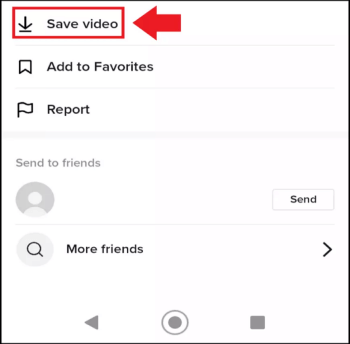
However, there are limitations to save videos with built-in feature:
While this method works for casual viewing, anyone looking for watermark-free, high-definition downloads will quickly outgrow it. Thus, It’s perfectly fine for everyday scrolling, but anyone repurposing content for brand use or editing will hit its limitations fast.
If you’ve ever tried to download a TikTok video and ended up with a huge floating TikTok logo bouncing across the screen, you already know the problem.
Watermarks:
For content creators and marketers, watermarks can damage credibility and reduce viewer engagement. This is why tools that remove or avoid watermarks are essential. Anyone using TikTok videos for branding or educational purposes needs clean, watermark-free copies.
If the built-in option doesn’t meet your needs, consider these alternative methods. For anyone serious about video quality, branding, or efficiency, Tatasoft video downloader outperforms all basic methods.
Features Include:
This makes Tatasoft ideal not just for casual viewers but also for businesses, agencies, and influencers who rely on TikTok daily.
Using Tatasoft Video Tool to download TikTok videos without watermark is a simple process. Here’s how to do it:
Step 1: Download and install it on your Windows or Mac device.
Step 2: Select Format and Quality
Launch the application and turn to Get Videos. Choose MP4 as the format and pick your preferred resolution (1080p, 2K, 4K, or 8K).
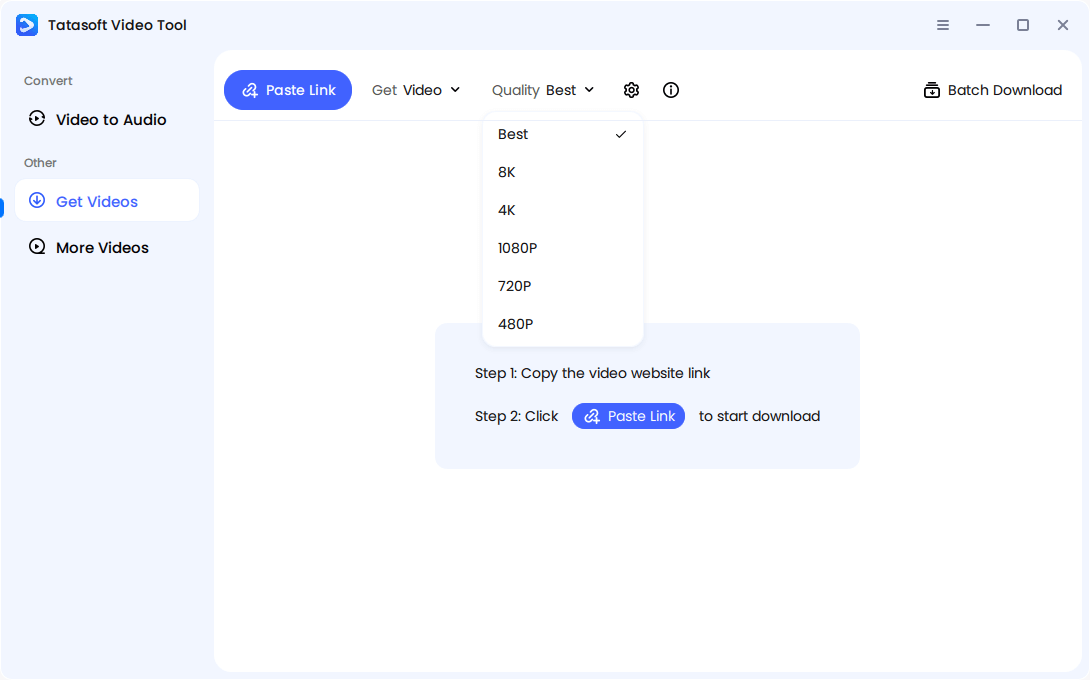
Step 3: Copy the TikTok Video Link
Open TikTok, find the video you wish to download, tap the “Share” icon, and select “Copy Link.”
Step 4: Download the TikTok Video
Click Paste Link in the software and wait for the software to analyze the download link and start to download.
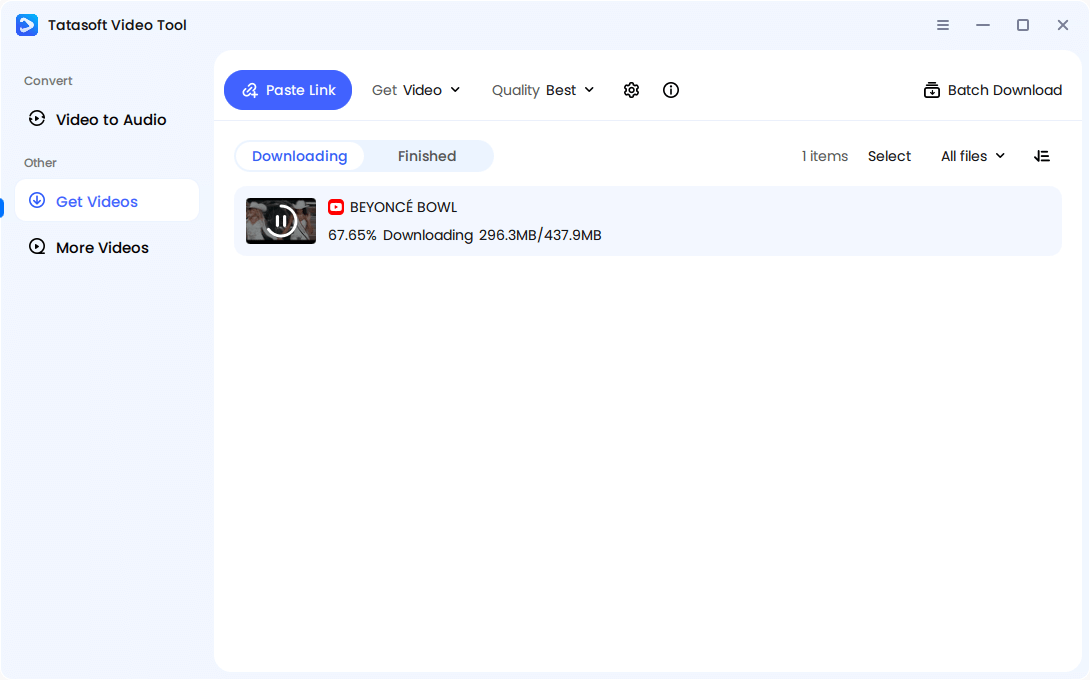
Once downloaded, find your TikTok video in the Tatasoft Library, ready for viewing or sharing.
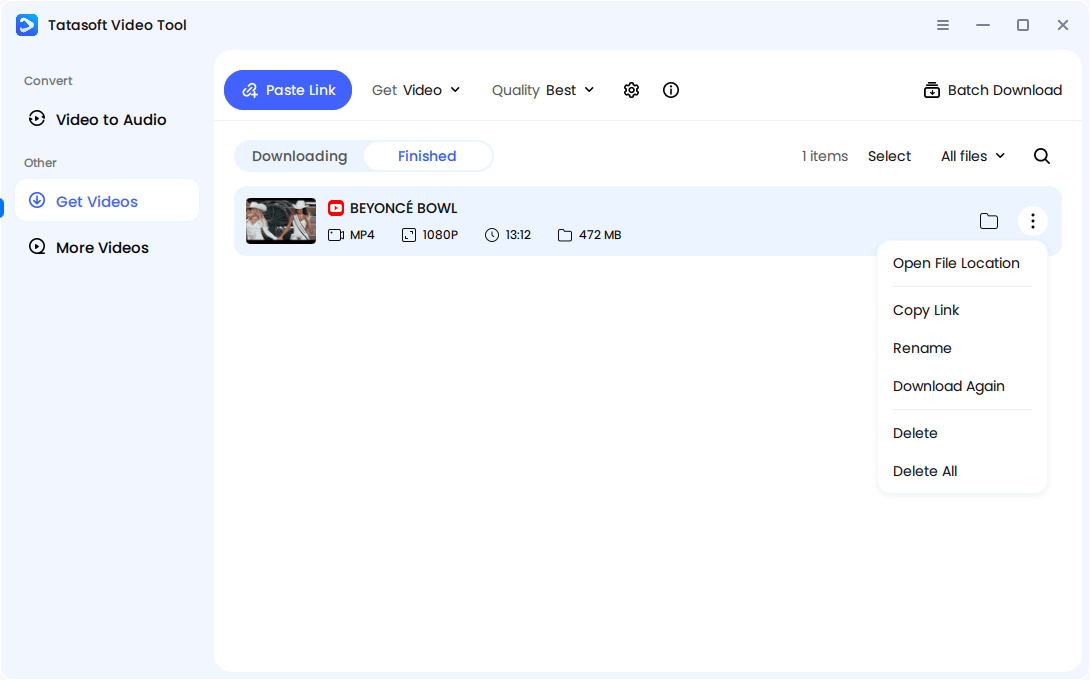
For bulk use, Tatasoft’s Batch Mode allows you to save multiple videos at once, significantly reducing repetitive work and enhancing productivity.
How It Works:
Limitations
Sometimes, creators disable downloads completely. In those cases, the fallback method is screen recording.
How It Works:
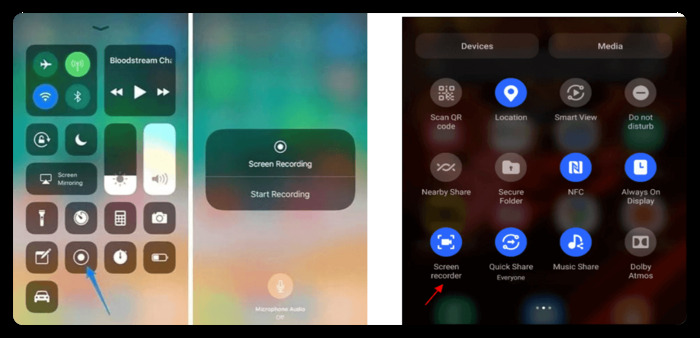
Limitations
Many free websites allow you to paste a TikTok link and download the video quickly. However, they come with significant drawbacks:

Risks:
For one or two quick saves, these sites might suffice. But they’re not sustainable for anyone downloading videos regularly. Use them only for temporary or low-stakes downloads.
Here’s a quick comparison of ways to save TikTok videos watermark-free:
| Feature | TikTok Save Button | Online Tools | Screen Recording | Tatasoft Video Tool |
|---|---|---|---|---|
| Watermark-Free | No | Sometimes | Yes | Yes |
| HD/4K Quality | No | No | No | YES |
| Batch Downloads | No | No | No | Yes |
| Safe & Ad-Free | Yes | No | No | Yes |
| Works on Private Videos | No | No | No | Yes |
The verdict? Tatasoft Video Tool isn’t just another option. It’s the best all-around solution for downloading TikTok videos with ease and quality.
Downloading content raises ethical and legal concerns. Following EEAT (Expertise, Experience, Authoritativeness, Trustworthiness), here’s what you should consider:
Tatasoft Video Tool aligns with these principles by giving users control while respecting creator rights.
Users may encounter various issues while downloading TikTok videos. Here are some common problems and their solutions:
By addressing these common issues, you can enhance your downloading experience and avoid frustration. With the right method, every roadblock has a solution.
To download TikTok video properly, you need to match your method to your needs:
In today’s creator-driven world, quality matters as much as convenience. A watermark can ruin credibility. Low resolution can kill engagement. Slow manual downloads waste time. Skip the blurry recordings and watermark-filled downloads. Choose Tatasoft Video Tool, your direct path to clean, HD, and professional TikTok video saving.
Download it today and take full control of your TikTok video content.
A dedicated technical writer at Tatasoft with over four years of specialized expertise in computing technology. She crafts actionable, user-centric content for tech niches, specializing in disk cloning, data management, and video solutions for Windows and Mac.
Read full bio
This article has been approved by Ben Lee. Ben's dedication to excellence and his comprehensive knowledge of Windows and Mac technologies make him an essential part of any technical writing team. With a career marked by continuous learning and adaptation to new technologies, Ben remains at the forefront of the ever-evolving tech landscape.