
Written byJanet BashorunUpdated on Feb 01, 2026

Brief introduction: YouTube Shorts has become a goldmine for micro-knowledge and creative inspiration, but its fast-paced algorithm means great content vanishes quickly. Whether you’re a creator analyzing viral trends or a student saving tutorials, knowing how to download YouTube Shorts reliably is key to building a permanent digital library. In this guide, we’ll show you how to save Shorts for offline access using Tatasoft Video Tool.
In this article

YouTube Shorts isn’t just entertainment; it’s a living library of micro-knowledge. Designers save transitions, teachers collect explainers, and marketers archive trends to inspire future campaigns. By keeping your favorite Shorts accessible offline, you can:
By keeping your favorite Shorts accessible anytime, you can revisit creative techniques, compare visual effects, and even experiment with timing or structure in your own content. This turns downloaded Shorts into long-term learning material — something beyond just entertainment.
Many users rely on the official YouTube app's download feature, but it comes with heavy strings attached. These files are encrypted and locked within the app. They often disappear if your subscription lapses or if you stay offline for too long. Here’s how to check if a Short is downloadable directly from YouTube:
Many assume that YouTube Premium’s offline feature solves everything. But here’s the truth — it doesn’t:
This restriction frustrates many professionals who rely on constant video research. If you’re a video editor or educator, losing your archive of inspiration can be costly. It also limits flexibility for creators working in environments with weak internet access.
That’s as far as YouTube lets you go. There’s no official option to save Shorts as standalone MP4 files, and any downloaded content remains locked in an encrypted format. For professionals who need to download 1080p YouTube videos for frame-by-frame analysis or side-by-side comparison, these restrictions are a major bottleneck. That’s why many experts turn to dedicated software to convert YouTube to MP4 for permanent, high-quality storage.
For users who need flexibility, third-party video downloading solutions make the process simpler and more powerful. Tatasoft Video Tool is highly suggested for anyone looking to download YouTube Shots. It bridges the gap between online inspiration and offline productivity.
Step 1: Download and install Tatasoft Video Tool on your computer.
Step 2: Copy the Shorts URL: In YouTube > find the Short > Tap "Share" > "Copy Link".
Step 3: Select Format and Quality: launch the software > Get Videos option > Choose MP4 and your desired resolution.
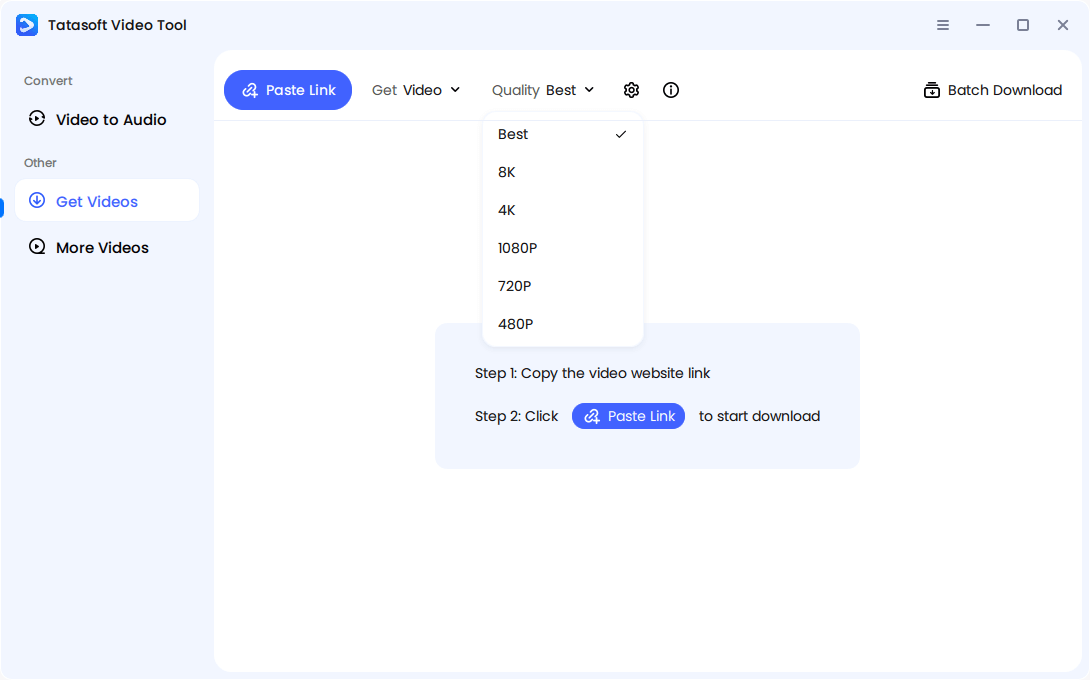
Step 4: Past Shorts URL by clicking Paste Link button.
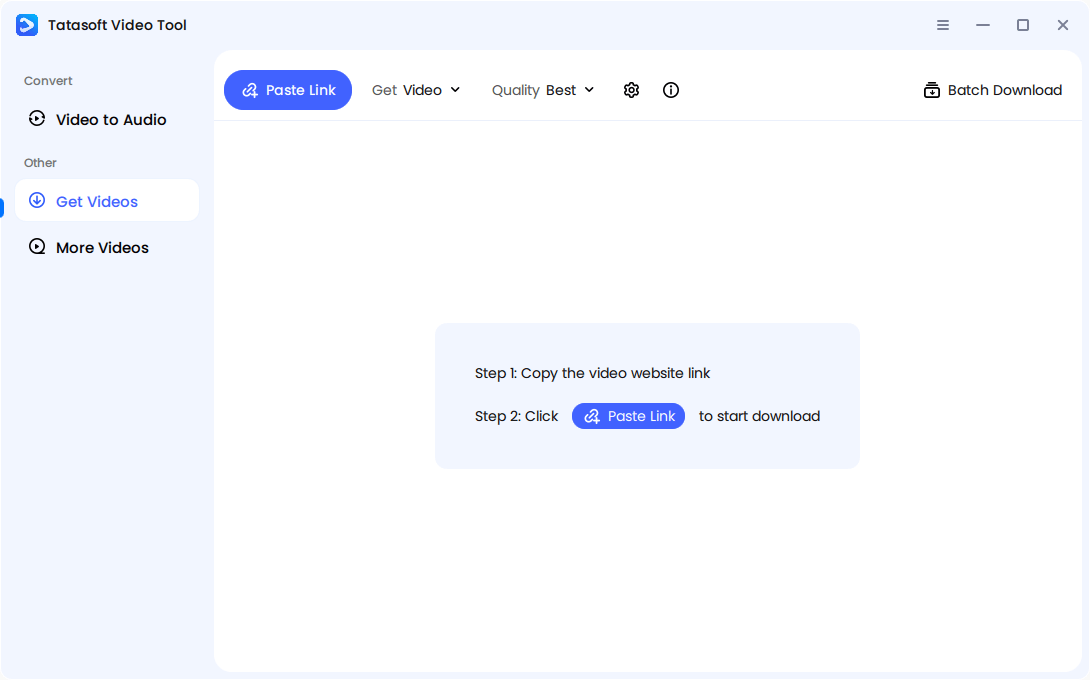
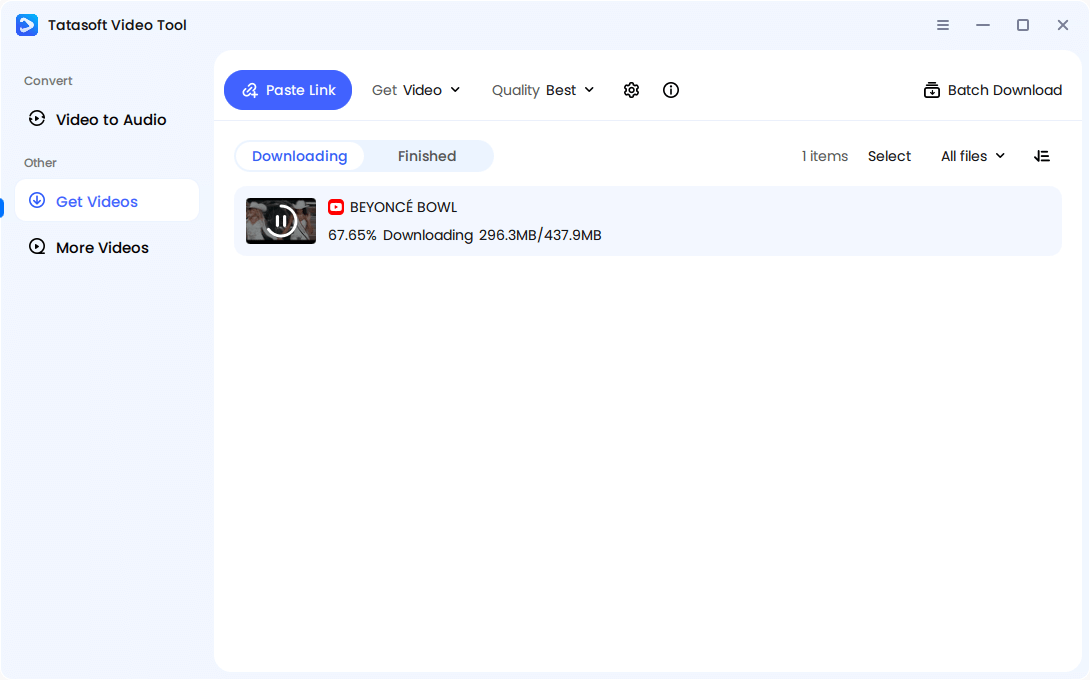
Step 5: Start Download: The software will analyze the link and start the process instantly.
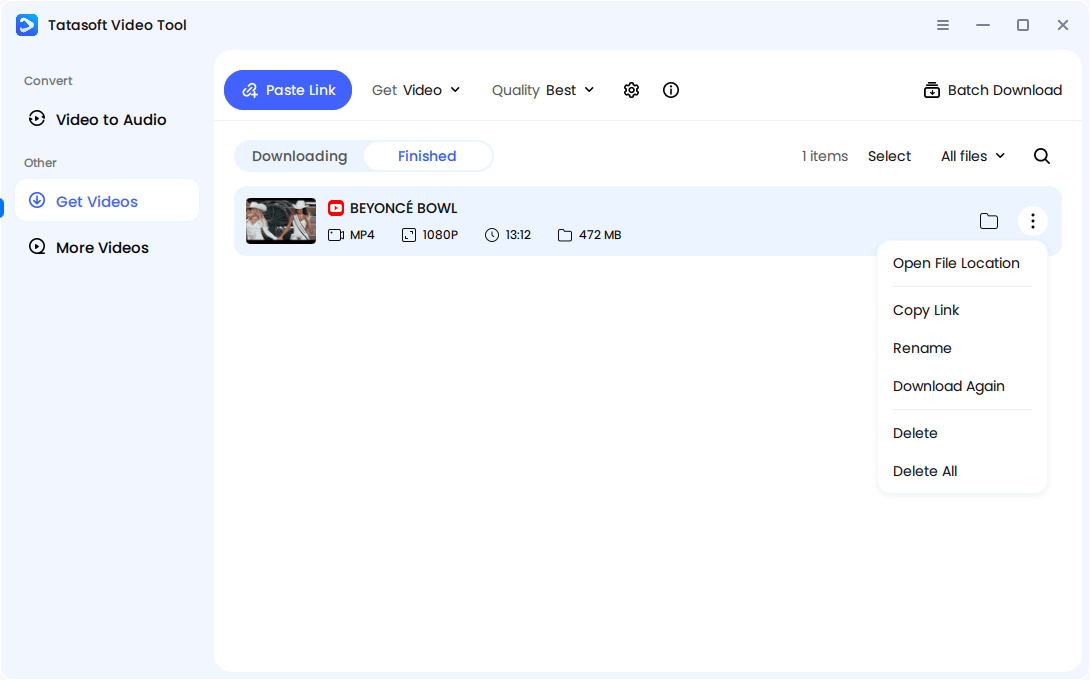
Step 6: Access Offline: Your Short is now saved locally — clean, HD, and watermark-free, ready for any offline project.
Tatasoft Video Tool is designed for creators, educators, marketers, and digital professionals who want to download YouTube Shorts efficiently without losing quality or dealing with unsafe websites.
Unlike random browser extensions or shady sites, Tatasoft Video Tool focuses on data security and ethical use. You can safely download public or fair-use content for personal education or creative analysis — not piracy.
Regular YouTube videos often come in multiple resolutions and longer formats, but Shorts are intentionally optimized for quick mobile viewing. When you download YouTube Shorts, you’re dealing with:
Shorts are designed to load fast and engage viewers instantly. Their soundtracks are often tied to licensed music or trending audios, which can complicate downloading if a tool doesn’t handle embedded sound properly.
Therefore, specialized downloaders that preserve both bitrate integrity and synchronized audio make a world of difference. Without the right tool, downloaded Shorts may appear blurry, cut off, or muted.
A common misconception is that downloading affects a creator’s analytics. In truth, downloading — whether through YouTube’s offline mode or software like Tatasoft — doesn’t impact view counts, watch time, or engagement metrics. YouTube only records interactions made directly on its platform.
This means when you download YouTube Shorts, you’re simply archiving content for yourself, not influencing its visibility.
Still, this offline access helps creators indirectly. By studying downloaded Shorts, marketers and editors can identify what makes certain videos perform better — pacing, lighting, humor, or camera style. These insights can then be applied to their own projects, turning downloads into valuable learning material.
In the fast-moving world of YouTube Shorts, trends rise and fade within days. Downloading helps you capture these fleeting moments before they disappear in the algorithm’s endless scroll.
By saving trending Shorts, you can build your own trend library and predict what’s next. Trend analysts, content strategists, and creators use their downloaded archives to:
This data-driven approach helps creators stay ahead — not just reacting to viral formats, but anticipating them. It turns Shorts downloading from a passive habit into a strategic creative practice.
The ability to download YouTube Shorts isn't just about saving videos - it's about preserving opportunity. Whether you’re an educator, designer, or business owner, saving your favorite Shorts offline gives you endless inspiration, anytime you need it. While YouTube’s native offline mode works for casual viewing, Tatasoft Video Tool bridges the gap for professionals who need high-quality, editable, and permanent assets.
Your Shorts don’t have to disappear after a scroll. With the right tools like Tatasoft, they become part of your lasting creative library ready to spark your next big idea.
A dedicated technical writer at Tatasoft with over four years of specialized expertise in computing technology. She crafts actionable, user-centric content for tech niches, specializing in disk cloning, data management, and video solutions for Windows and Mac.
Read full bio
This article has been approved by Ben Lee. Ben's dedication to excellence and his comprehensive knowledge of Windows and Mac technologies make him an essential part of any technical writing team. With a career marked by continuous learning and adaptation to new technologies, Ben remains at the forefront of the ever-evolving tech landscape.