
Written byJanet BashorunUpdated on Dec 21, 2025

Brief introduction: Download 1080P YouTube videos to achieve crisp Full HD clarity (1920×1080) without the bulk of 4K or the blur of lower resolutions—ideal for offline use by casual viewers and professionals alike. Unlike streaming, downloading ensures permanent, unrestricted access. 1080P balances sharpness for presentations, tutorials, and entertainment with lightweight compatibility for laptops and portable drives. This guide covers why users choose 1080P downloads, debunks myths, and how to do it using Tatasoft Video Tool.
In this article

When users search for ways to download 1080P YouTube videos, they’re often looking for consistency and reliability. The benefits are straightforward:
This makes 1080P downloads a long-term, practical choice for students, travelers, or professionals who want offline content.
When people decide to download 1080P YouTube videos, they sometimes carry misconceptions that can affect the final result. A few of the most common include:
1. Not Every Video Offers 1080P
Some uploads are limited to 720P or lower, meaning you can’t get true 1080P no matter what tool you use. Any version labeled “1080P” in such cases is simply upscaled and won’t deliver genuine Full HD quality.
2. Resolution Alone Doesn’t Guarantee Quality
Bitrate matters just as much as resolution. A 1080P video with low bitrate may look dull or pixelated compared to a well-encoded 720P video. This is why the source quality always matters.
3. Device and Platform Restrictions
YouTube sometimes caps playback at 720P on mobile apps, even when the original file supports higher quality. On a PC or laptop, however, it’s easier to access and download the actual 1080P version.
By recognizing these misconceptions, users can set realistic expectations and ensure they’re downloading authentic Full HD content rather than misleading or downgraded versions.
Download YouTube videos in full HD doesn’t just improve entertainment - it also enhances accessibility and learning experiences:
Accessibility is often overlooked when people think about downloads, but 1080P ensures that content isn’t just stored — it’s stored in a format that benefits every type of viewer.
YouTube provides a built-in option to download videos, but this feature is tied to YouTube Premium. With a subscription ($13.99/month), you can save certain videos in 1080P resolution for offline playback directly inside the YouTube app. However, note that these downloads remain locked within the app—you cannot export or transfer them to your PC, laptop, or other players.
Here’s how get 1080P videos via YouTube Premium:
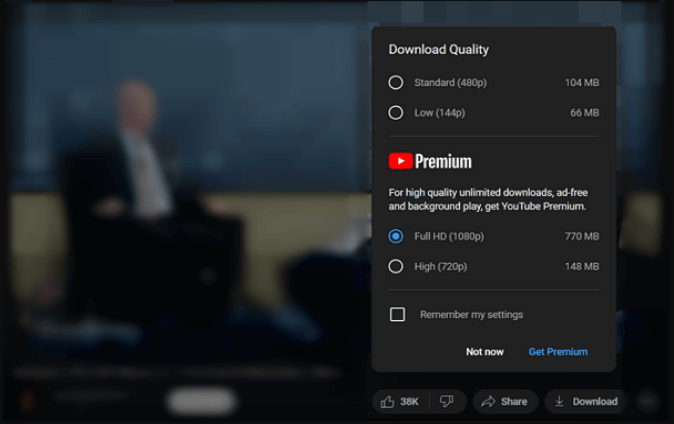
Limitation: These downloaded videos can only be viewed within the app and may expire if you don’t reconnect to the internet after a certain period. For permanent storage or use on multiple devices, tools like Tatasoft Video Tool remain the better solution.
There is another way to download 1080P YouTube videos - using the software Tatasoft Video Tool. The software offers an easy and quick way to download videos or audio from any media websites.
Here’s a tailored walkthrough focused on downloading YouTube 1080P videos:
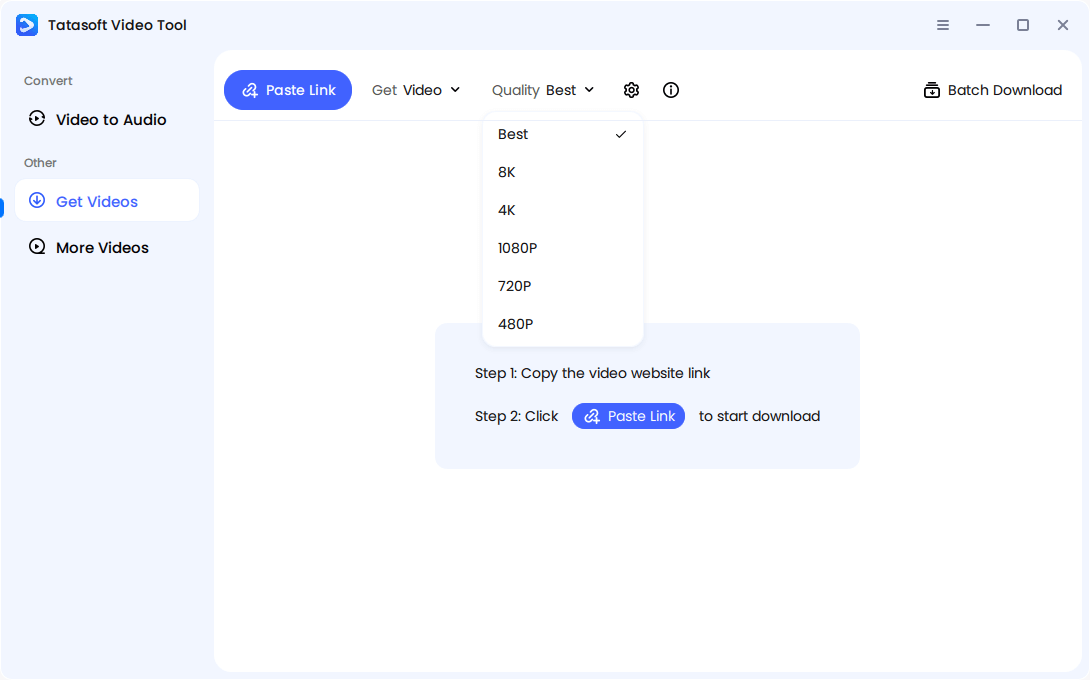
Step 1: Select 1080P Resolution
Launch Tatasoft Video Tool and change to Get Videos. Choose the quality as 1080P.
Step 2: Copy and Paste the Video Link
Open YouTube, copy the URL of your chosen video. Click Paste Link button in Tatasoft Video Tool. The software will start to analyze the copied video link.
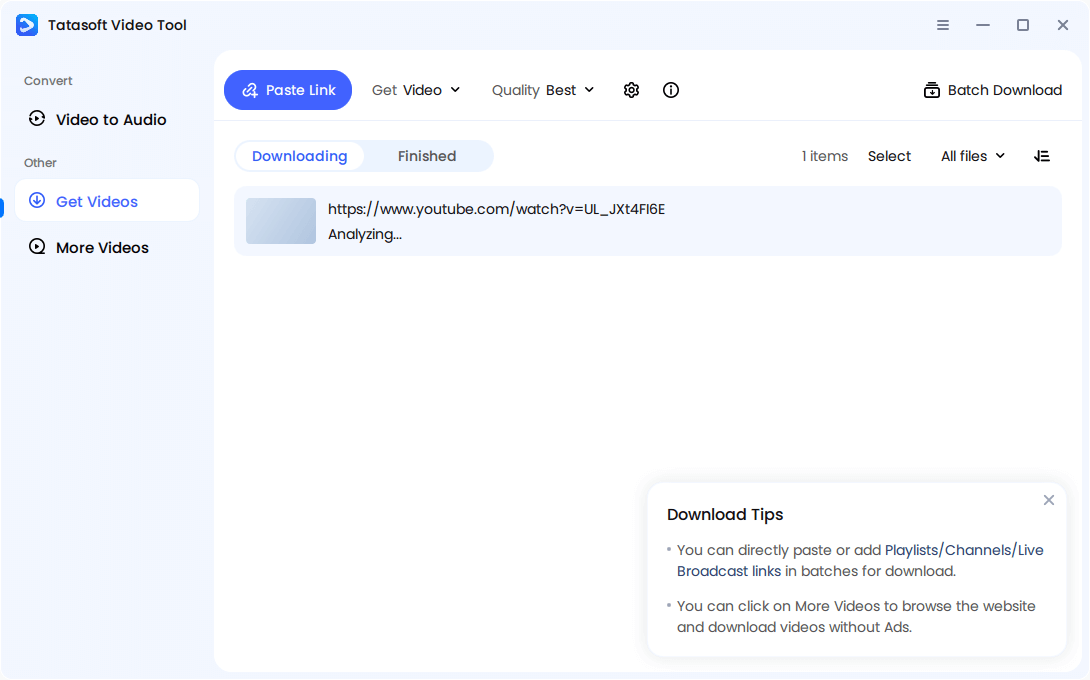
Step 3: Start the 1080P Video Download
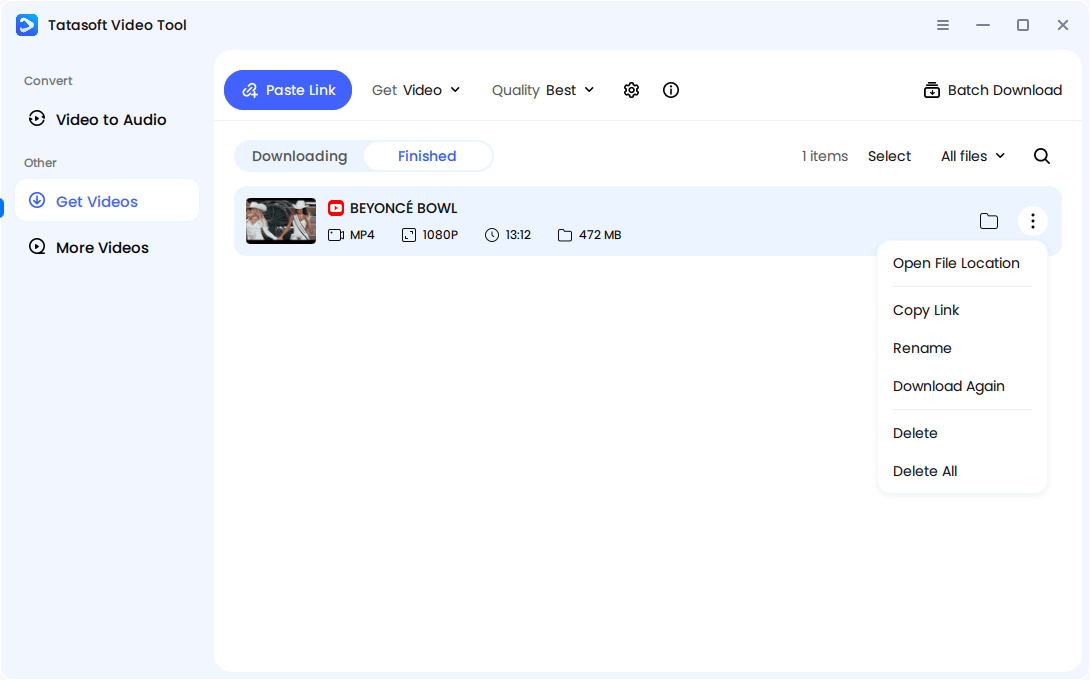
After the analyzing process is done, the downloading process will start automatically. Monitor progress and wait for the software to assemble the file.
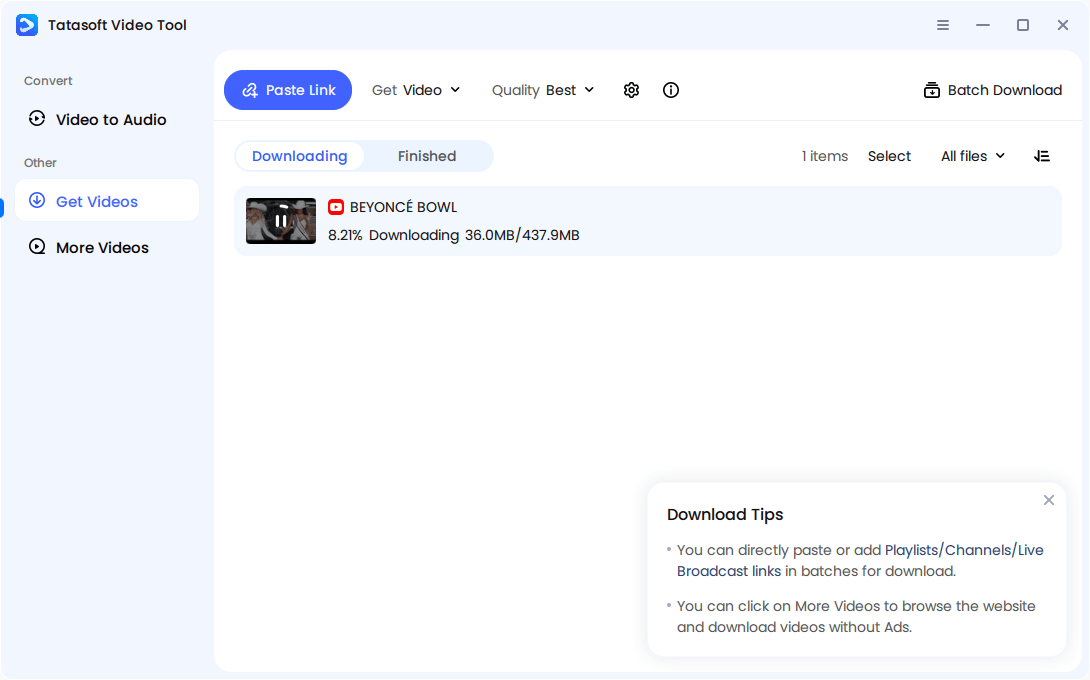
Once downloaded, view the video or check file size. A realistic 10-minute 1080P video usually ranges between 150–400 MB depending on bitrate.
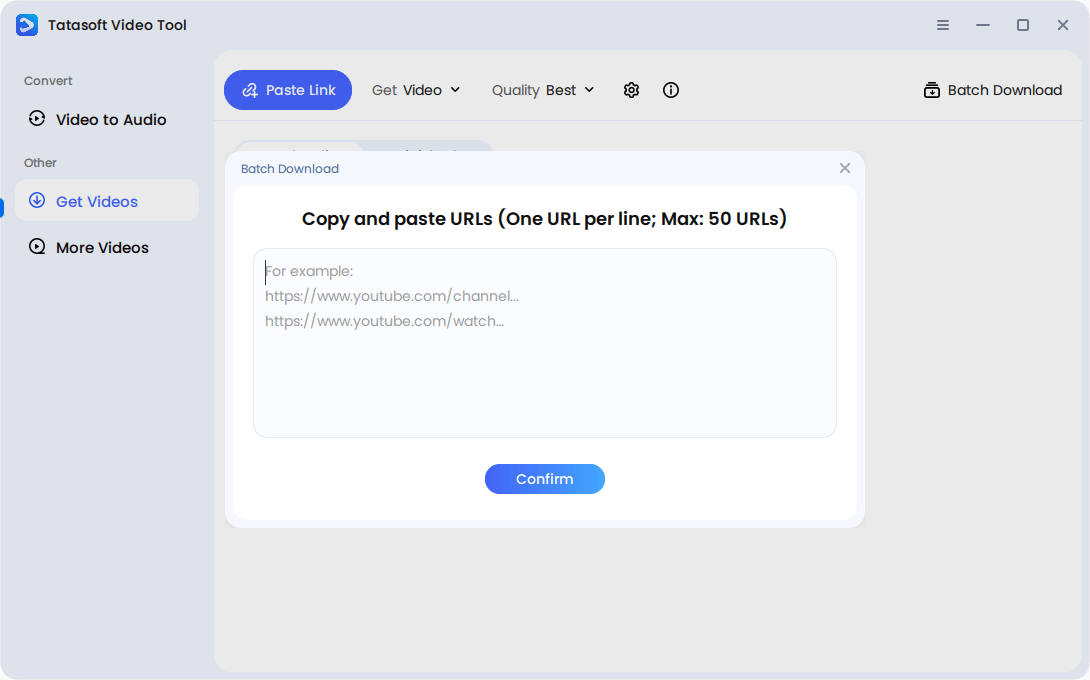
Optional — Batch Download
Queue multiple 1080P videos, such as playlists or lectures, for efficient bulk saving.
Even after a successful download, playback issues can arise due to device limitations, codec support, or unstable downloads. Here’s how to address the most common problems:
By applying these fixes, you can ensure your downloaded 1080P videos run smoothly across laptops, tablets, projectors, or mobile devices.
When YouTube launched in 2005, most videos streamed at 240P—grainy and barely watchable on today’s screens. Over the years, the platform introduced 360P, 480P (SD), and eventually 720P (HD).
The real leap came with 1080P Full HD, which became the new benchmark for crisp detail and immersive visuals. By the late 2000s, 1080P was supported by most monitors, TVs, and laptops, making it the universal choice for both creators and viewers.
Today, although 4K and even 8K are available, 1080P remains the most accessible format, balancing speed, storage, and clarity—especially for offline downloads.
One often overlooked detail when you download 1080P YouTube videos is how the platform handles streams. Unlike older formats where audio and video were packaged together, YouTube uses DASH streaming technology, which separates the two.
This ensures you aren’t just getting a "video" but a complete, watchable experience that mirrors what you’d see online.
Even as 4K and 8K rise, 1080P continues to dominate among content creators and learners.
For both sides — creators and consumers — 1080P continues to be the practical compromise between speed, clarity, and reach.
Download 1080P YouTube videos to achieve the best balance of clarity, compatibility, and efficiency. In a world where streaming is limited by internet speed and platform restrictions, offline 1080P ensures reliable access anytime and anywhere. It remains the universal standard for students, professionals, and creators who need sharp visuals without overwhelming file sizes.
To avoid poor quality or sync errors from random video downloaders, use a trusted tool like Tatasoft Video Tool. It merges audio and video streams seamlessly, preserves authentic Full HD quality, and even supports batch downloads for efficiency. Start building your offline library today by saving YouTube videos offline - it's secure, clear, and always accessible with Tatasoft.
A dedicated technical writer at Tatasoft with over four years of specialized expertise in computing technology. She crafts actionable, user-centric content for tech niches, specializing in disk cloning, data management, and video solutions for Windows and Mac.
Read full bio
This article has been approved by Ben Lee. Ben's dedication to excellence and his comprehensive knowledge of Windows and Mac technologies make him an essential part of any technical writing team. With a career marked by continuous learning and adaptation to new technologies, Ben remains at the forefront of the ever-evolving tech landscape.