
Written byJanet BashorunUpdated on Mar 04, 2026

Brief introduction: In an era dominated by video content, an excellent video downloader is an essential tool for offline learning and entertainment. With the market flooded with varying levels of software quality, knowing how to distinguish security and download efficiency is crucial. This article provides an in-depth analysis of core features and compares Tatasoft Video Tool with its top alternatives, helping you easily build a stable, high-definition private offline video library.
In this article
A video downloader is a tool, either software or online-based, that lets you save videos from streaming platforms like downloading from YouTube, Facebook, TikTok, Instagram, and more. Instead of relying on constant internet connectivity, a downloader allows you to store videos locally on your device for offline playback anytime.
People use video downloaders for many reasons:
That said, not every use is ethical or legal. Downloading copyrighted videos without permission violates terms of service for many platforms. Responsible use — such as saving royalty-free, educational, or personal-use content — ensures you stay safe while enjoying offline access.
When people talk about a “video downloader,” they may be referring to different categories of tools. Understanding these types will help you decide which best fits your needs.
1. Browser Extensions
These are lightweight add-ons for browsers like Chrome or Firefox. They sit in your toolbar and let you grab videos directly while browsing.
2. Desktop Software
Installed programs on Windows or Mac that support a wide range of platforms and formats. They usually include advanced features like batch downloads and quality selection.
3. Mobile Apps
Apps on Android or iOS that allow downloading videos directly to phones.
4. Online Web-Based Downloaders
Websites where you paste a video link and download directly, without software installation.
Understanding these types helps you pick the right tool for your workflow.
Not all tools are built equally. A reliable video downloader should include:
When evaluating a tool, the presence of these features often determines whether it’s worth keeping.
Below are four popular video downloader tools, explained with their strengths and weaknesses. You can compare and choose the best one for your needs.
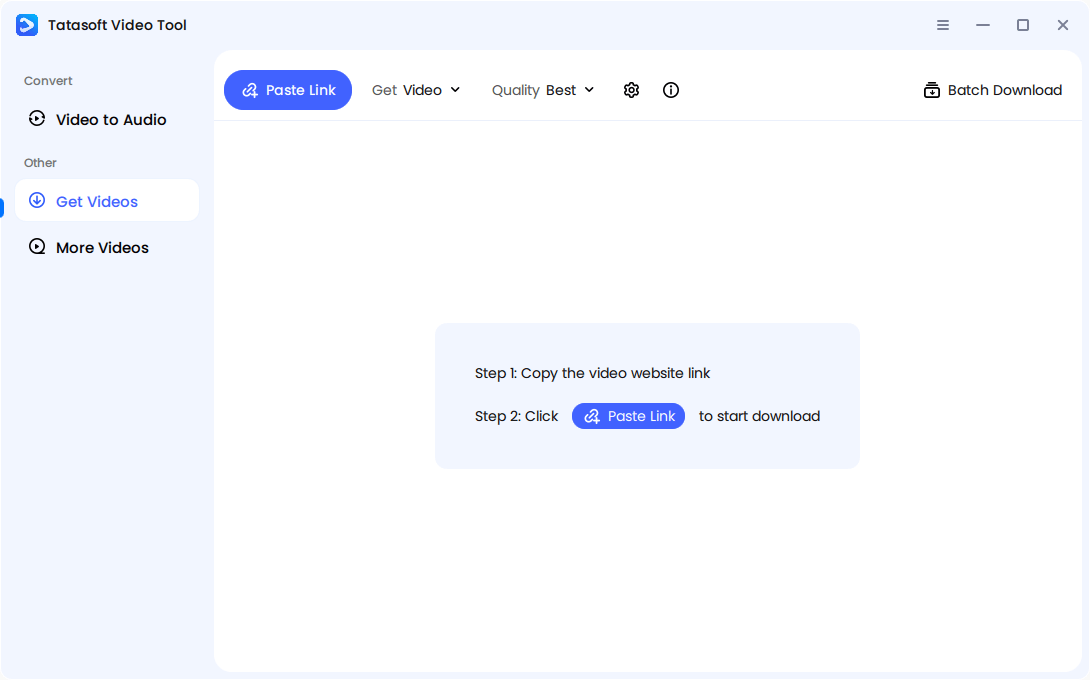
Overview: While competitors serve their purpose, Tatasoft Video Tool distinguishes itself with seamless audio + video merging to revents sync issues common in platforms that separate audio and video tracks. It's batch downloading make it ideal for playlists, online courses, and lecture archives.
High-bitrate preservation can ensure downloaded 1080P or upcoming 8K videos maintain original clarity. Its user-friendly interface makes the software easy for both beginners and professionals. Security first: No malware, intrusive ads, or hidden risks.
Pros:
Cons:
Who it’s best for
For users who want speed, quality, and security for playlists, lectures, or media libraries.
User Review:
“I used Tatasoft when I was trying to download a lecture series for offline study, and it worked flawlessly without quality loss. The ability to merge audio and video automatically was a big plus.” – TechRadar, Jane Thompson
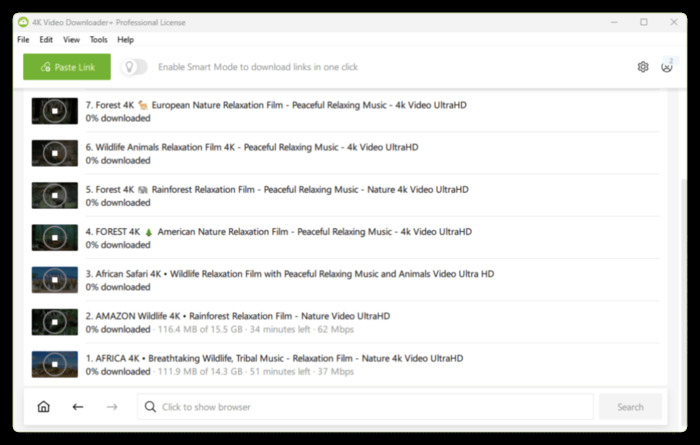
Overview: 4K Video Downloader is known for crisp, high-resolution downloads up to 4K and 8K. Favored by professionals.
Pros:
Cons:
How it works (step-by-step)
1. Install 4K Video Downloader (Windows/Mac/Linux).
2. Click “Paste Link” and add your video or playlist URL.
3. Choose target resolution (up to 8K if the source supports it) and subtitle options.
4. Download — the app saves video and, if needed, creates separate subtitle (.srt) files or embeds subtitles.
Who it’s best for
Power users, editors, and educators who need high-quality archives.
User Review: “4K Video Downloader is my go-to for documentaries on YouTube — subtitles are a lifesaver.” – CNET, Sarah Kim
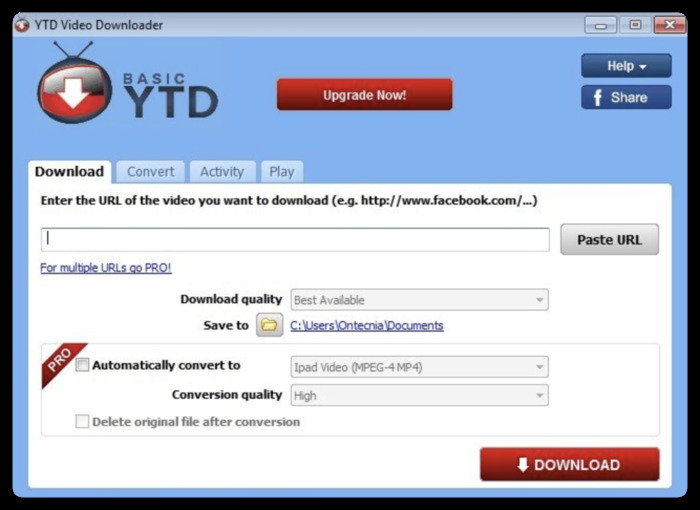
Overview: One of the oldest players in the field, YTD has built a reputation for reliability.
Pros:
Cons:
How it works (step-by-step)
1. Install YTD.
2. Paste the URL into the input.
3. Choose output format (MP4/MP3/MOV/etc.).
4. Click Download, then use the built-in converter if needed.
Who it’s best for
Casual users who want one-off downloads without high-res demands.
User Review: “I’ve used YTD for years, but the ads in the free version are frustrating.” – PCMag, David Lee
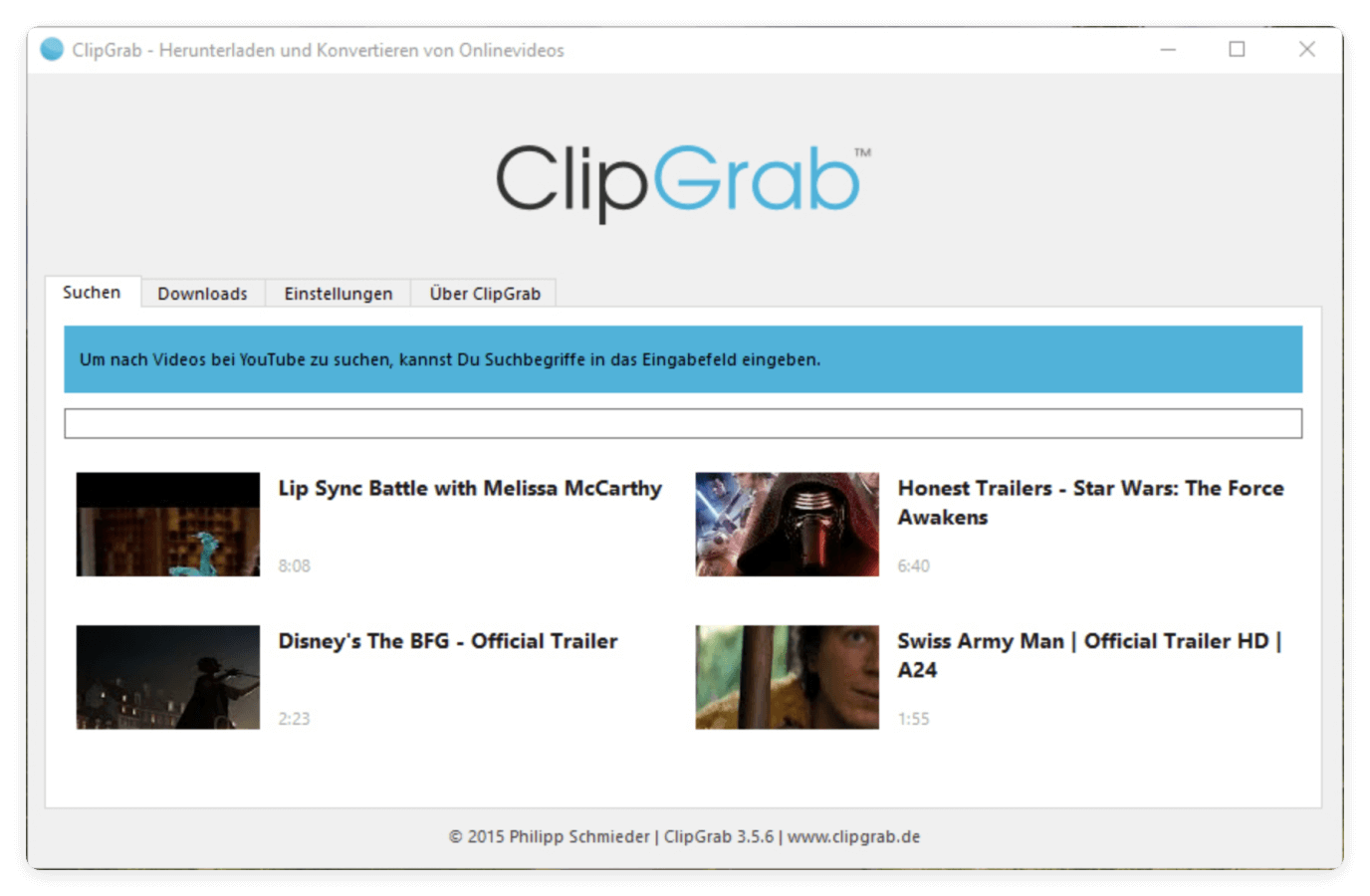
Overview: ClipGrap is a free, open-source downloader that works across major platforms.
Pros:
Cons:
How it works (step-by-step)
1. Download ClipGrab from the official site (avoid third-party installers).
2. Paste URL or search from within the app.
3. Choose format (MP4, WMV, OGG, MP3).
4. Click “Grab” and save.
Who it’s best for
Users who want no-cost basic downloads and are comfortable taking extra care on install.
User Review: “ClipGrab is great for quick downloads, but it crashed on larger files.” – Softpedia, Michael O’Reilly
| Video Downloader | Format Supported | Max Resolution | Batch Download | Ease of Use | Limitations | Pricing |
|---|---|---|---|---|---|---|
| Tatasoft Video Tool | MP4, MKV, AVI, MP3, WAV | 8K Ultra HD | Yes | Very intuitive | Not available on mobile | Free & Paid |
| 4K Video Downloader | MP4, MKV, MP3 | 8K Ultra HD | Yes | Straightforward | Paid required for advanced features | Free & Paid |
| YYD Video Downloader | MP4, AVI, MOV, MP3 | 1080P Full HD | No | Moderate | Free version capped speed | Free & Paid |
| ClipGrab | MP4, WMV, OGG, MP3 | 720P HD | No | Lightweight | Limited site compatibility | Free |
Selecting the best tool depends on your needs, but here are key factors:
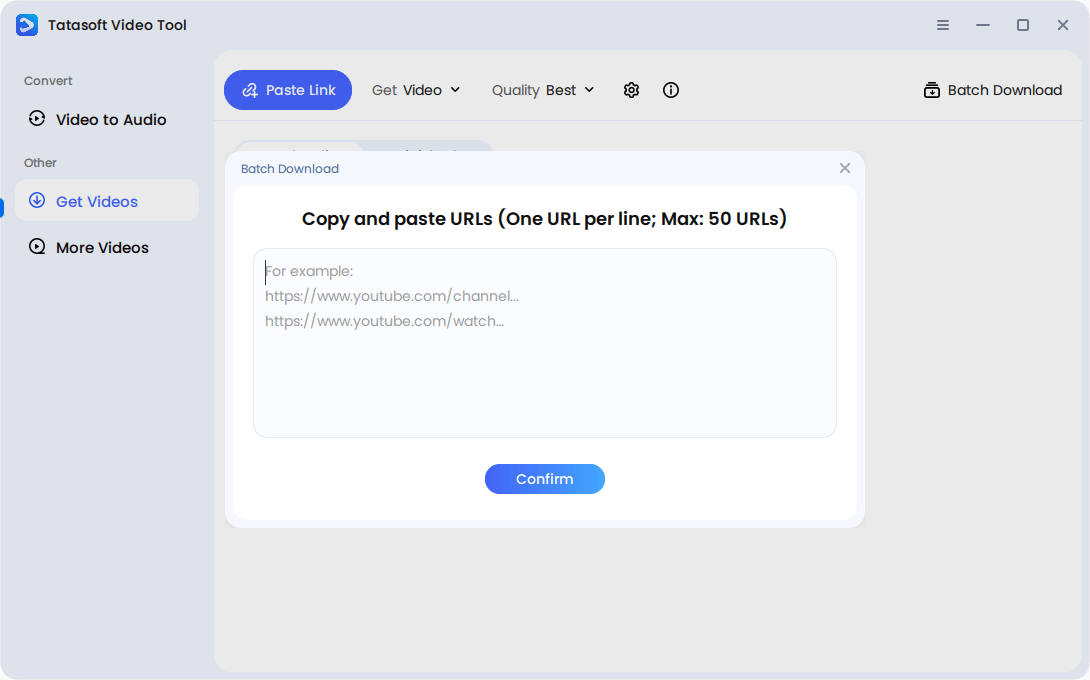
Tatasoft provides a clean, guided process that works across all devices. Here’s a practical walk-through:
1. Download and Install
Free download the Tatasoft Video Tool installer from the official website and install it on your PC or laptop.
2. Select Format & Quality
Launch Tatasoft Video Tool and click Get Videos. By default, you can download videos. You can also choose to convert to MP3 or WAV (only for audio). Choose 1080P, 4K, 8K or other qualities.
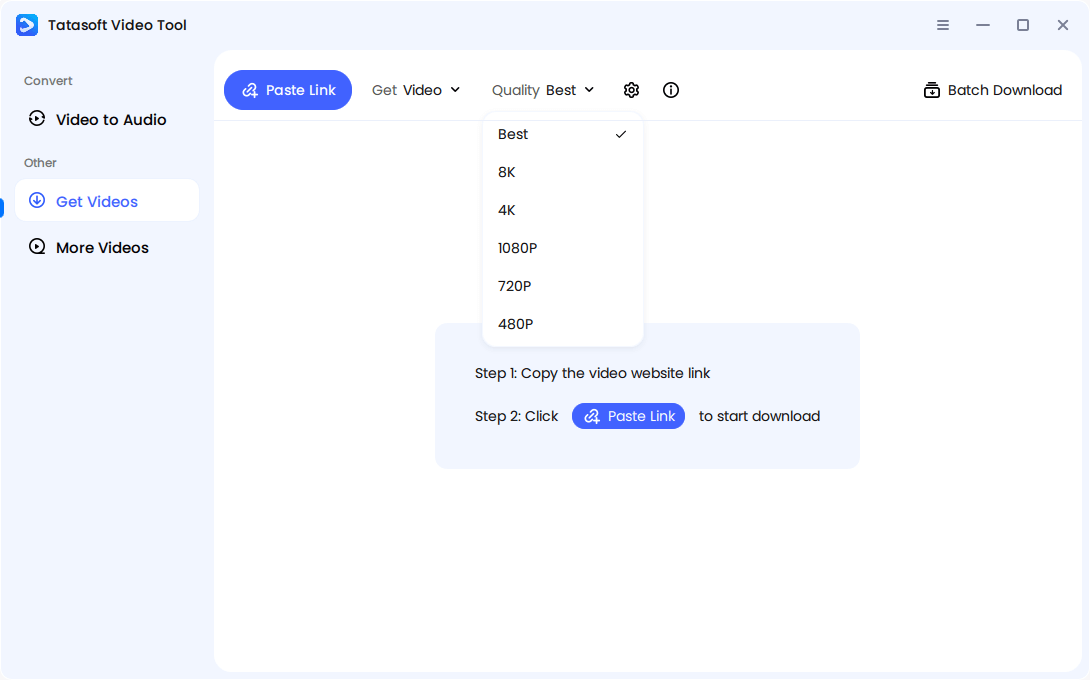
3. Start Download
Open YouTube, Vimeo, or another supported platform and copy the video URL. Click Past Link in the software. Then it will start to analyze the link and start the downloading. Progress is displayed in real time.
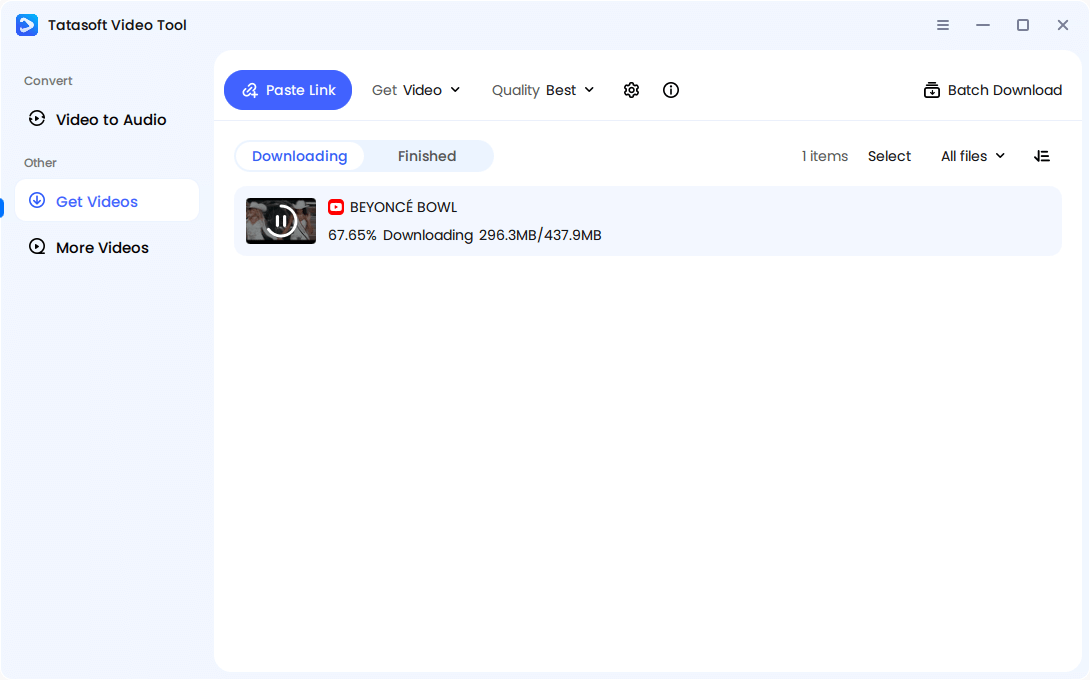
4. Access Library
Find your completed downloads neatly organized within Tatasoft’s built-in library.
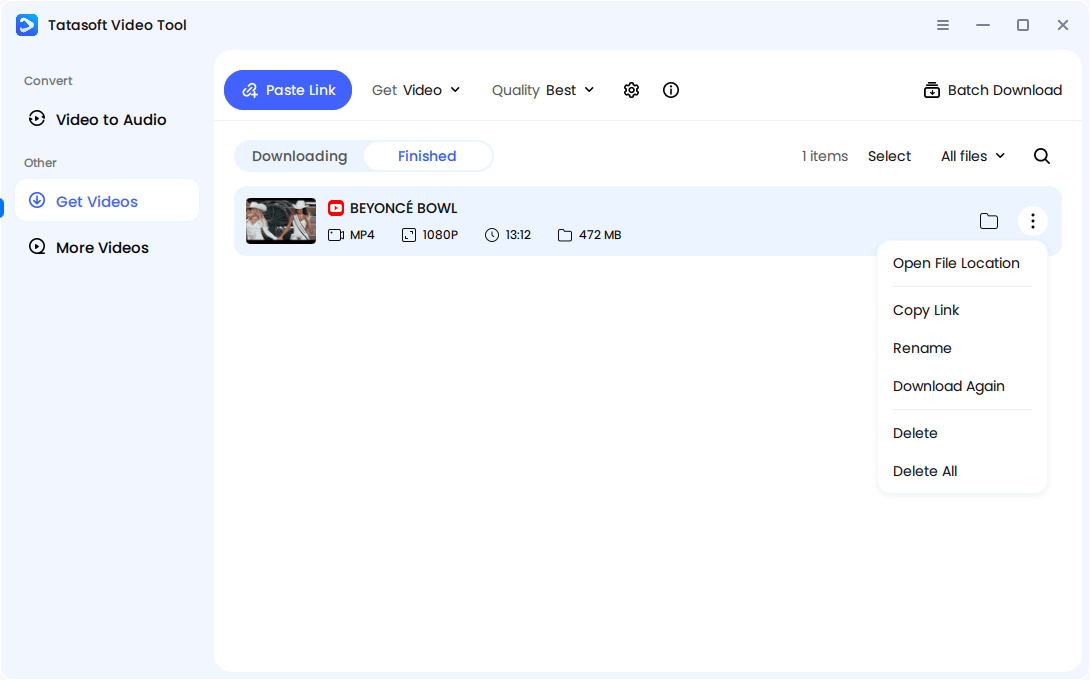
Extra Tip: Use batch download mode for entire playlists or lecture series.
Not all online video downloaders are safe. Using the wrong one can expose you to risks, including:
Always stick to tested software with clear user reviews and an official website.
Video downloader tools have become indispensable for anyone who values offline access, study convenience, or entertainment without streaming limits. From Tatasoft Video Tool to 4K Video Downloader and ClipGrab, each tool brings unique strengths but also limitations.
For users who want consistent performance without unnecessary complications, Tatasoft Video Tool offers a practical middle ground. It avoids the clutter found in ad-heavy tools while still delivering stable 1080P downloads, batch support, and clean audio-video merging.
Ultimately, the best video downloader is the one you can trust to work every time — without risking your device or wasting your time. If you’re building an offline video library for study, work, or entertainment, Tatasoft is a dependable option to keep in your toolkit.
A dedicated technical writer at Tatasoft with over four years of specialized expertise in computing technology. She crafts actionable, user-centric content for tech niches, specializing in disk cloning, data management, and video solutions for Windows and Mac.
Read full bio
This article has been approved by Ben Lee. Ben's dedication to excellence and his comprehensive knowledge of Windows and Mac technologies make him an essential part of any technical writing team. With a career marked by continuous learning and adaptation to new technologies, Ben remains at the forefront of the ever-evolving tech landscape.