
Written byJanet BashorunUpdated on Jan 10, 2026

Brief introduction: Converting online videos to MP3 lets you get clear, portable audio for playlists, podcasts or offline lectures- MP3 balances quality and file size via compression. However, final quality depends on the source video, conversion method and settings, and unreliable tools may cause audio distortion, missing metadata or security risks. This article explores effective conversion methods, and shows how Tatasoft Video Tool streamlines the video-to-MP3 conversion process for users of all levels.
In this article
MP3 conversion involves several critical steps to extract audio from a video file while compressing it efficiently. Understanding the process ensures you achieve the best possible sound.
Key steps include:
By comprehending these fundamentals, users can make informed choices when converting videos, ensuring that the audio retains clarity and remains playable on all devices.
Choosing the right tool for converting online video to MP3 is critical for quality, safety, and workflow efficiency.
Desktop Software Advantages:
Web-Based Converters Advantages and Limitations:
For professionals or anyone managing large MP3 collections, desktop software such as Tatasoft Video Tool ensures faster, safer, and higher-quality results. It supports downloading videos from all any website, including YouTube, Facebook, X, Instagram and Vimeo.
Tatasoft Video Tool simplifies video to MP3 conversion while retaining high-quality audio:
Step 1: Download and install Tatasoft Video Tool
Download and install the Windows or Mac version of Tatasoft Video Tool on your computer.
Step 2: Select MP3 Format and Configure Settings
Run the software and go to Get Videos option. Select Get Audio.MP3 format audio. Choose the output quality.
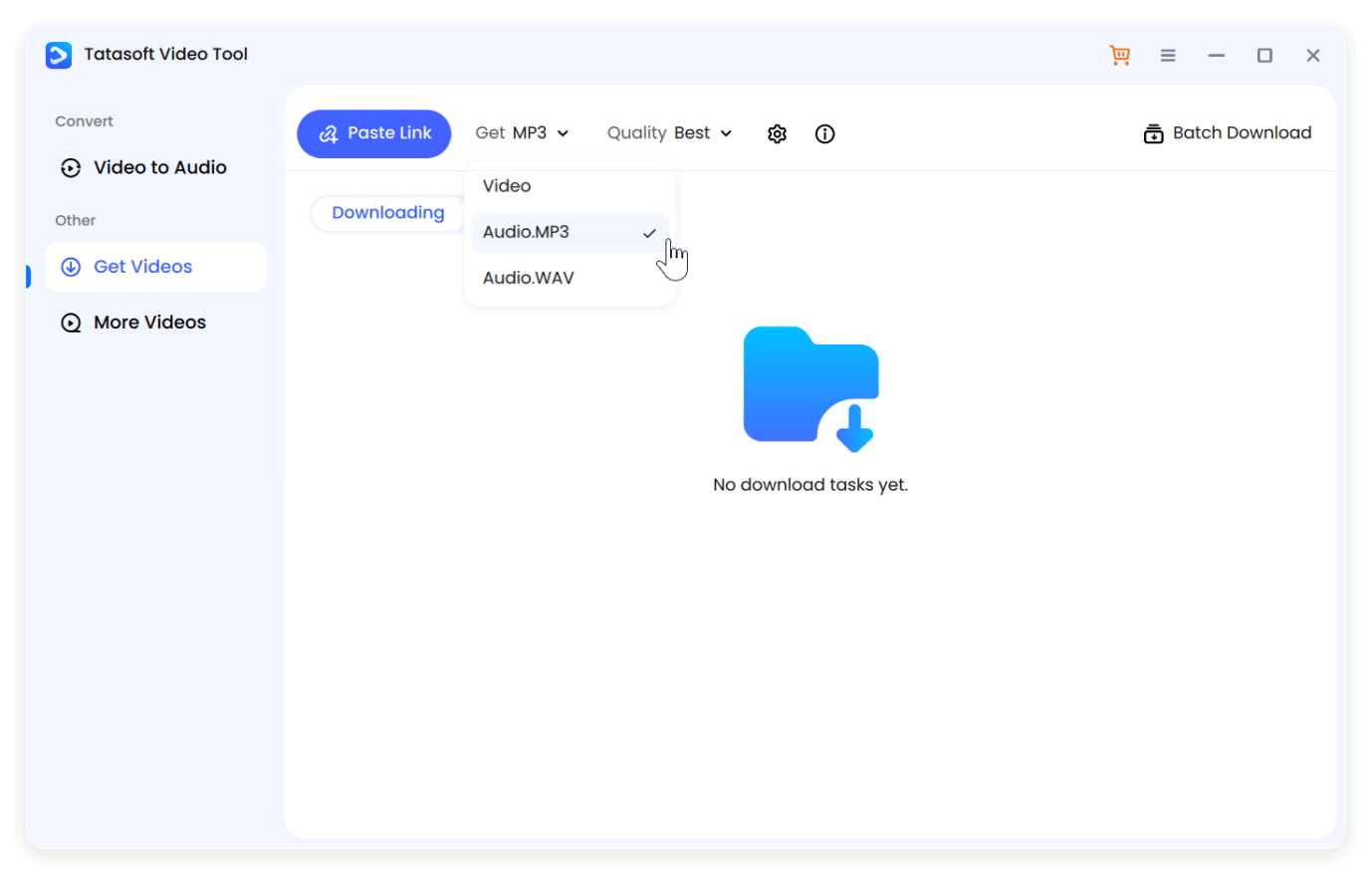
Step 3: Paste the Online Video URL
Obtain the URL of the online video from YouTube, Vimeo, or other supported sites. Click Paste Link in the software to continue. The app identifies available audio streams and quality options.
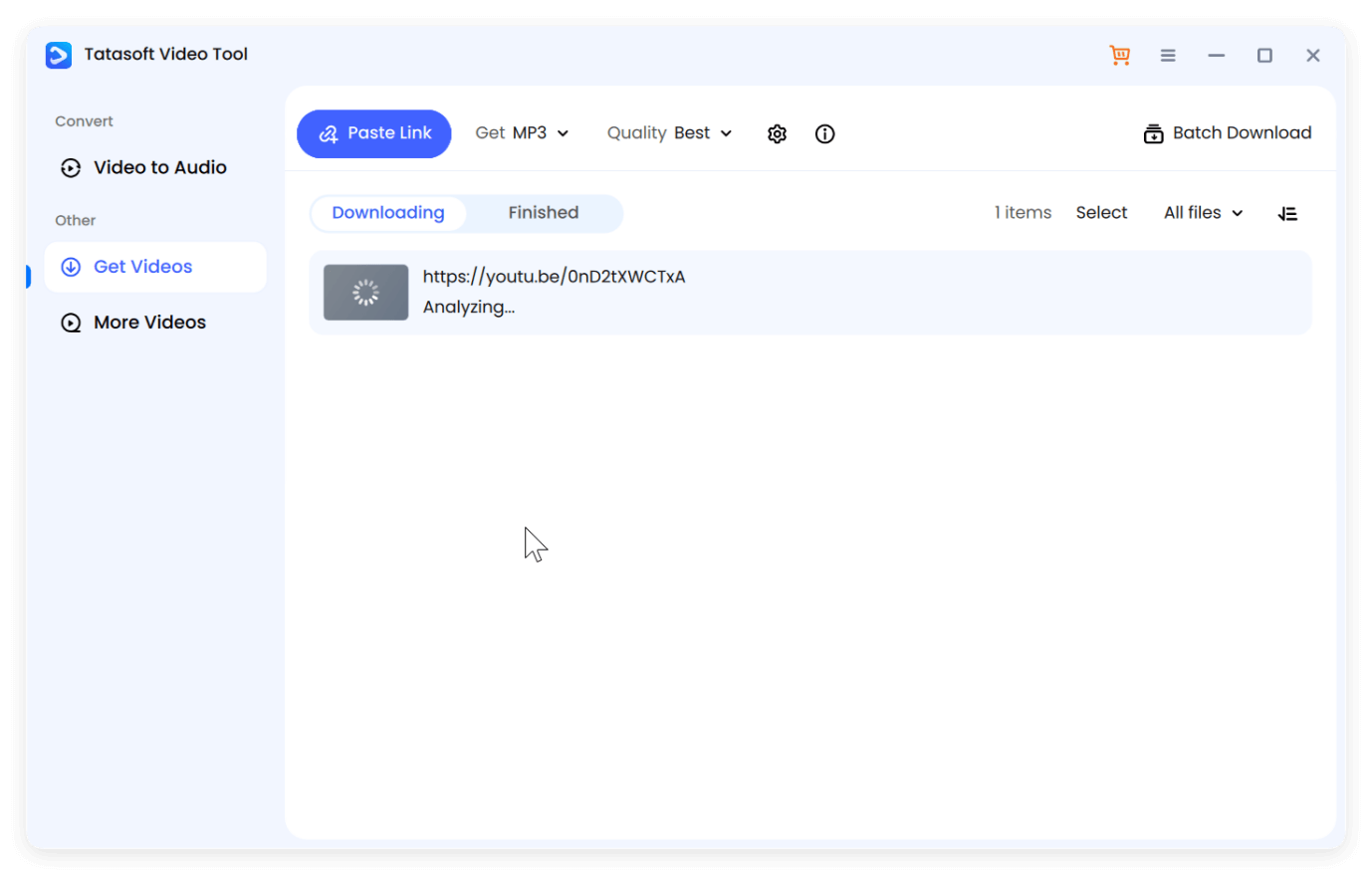
Step 4: Confirm to Download As Audio File
After the analyzing process is done, it will ask if you want to continue download it as an audio file. Click continue to start to download and save the video to MP3 directly to your device..
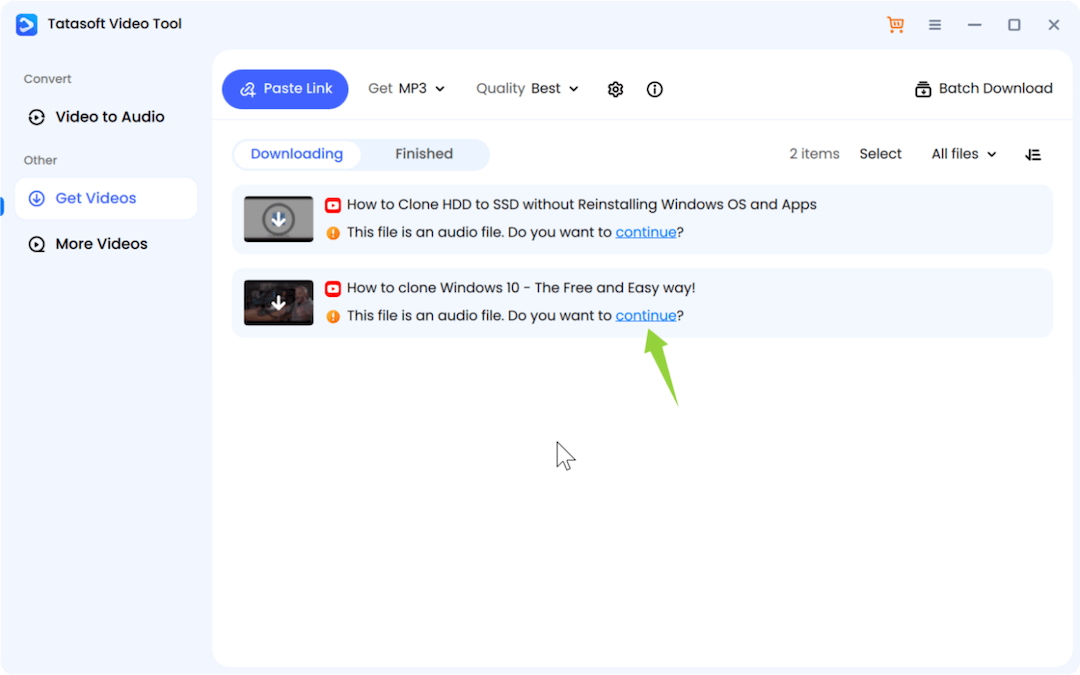
The process preserves fidelity and creates ready-to-use audio files for playlists, podcasts, or professional editing.
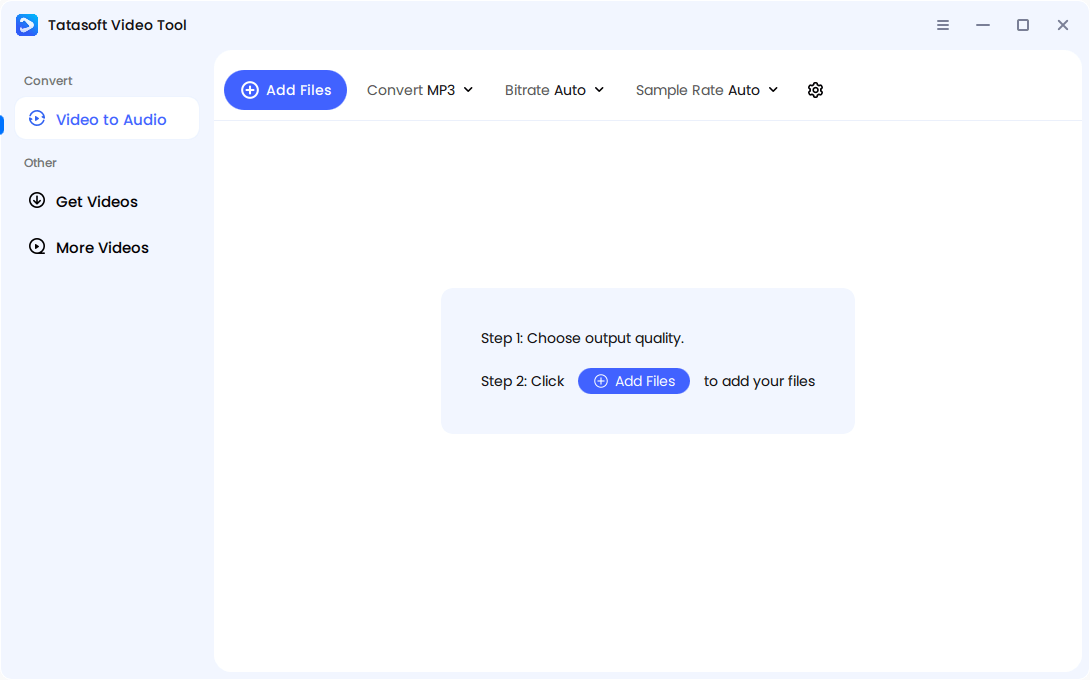
Also, you can first download the online video to local drive. Then convert the video to MP3 with the option Video to Audio. Here you can convert the video to MP3 with preferred bitrate and sample rate.
Converting multiple online videos to MP3 individually can be time-consuming, especially for creators or researchers working with large amounts of content. Batch processing allows you to convert several files simultaneously, saving both time and effort.
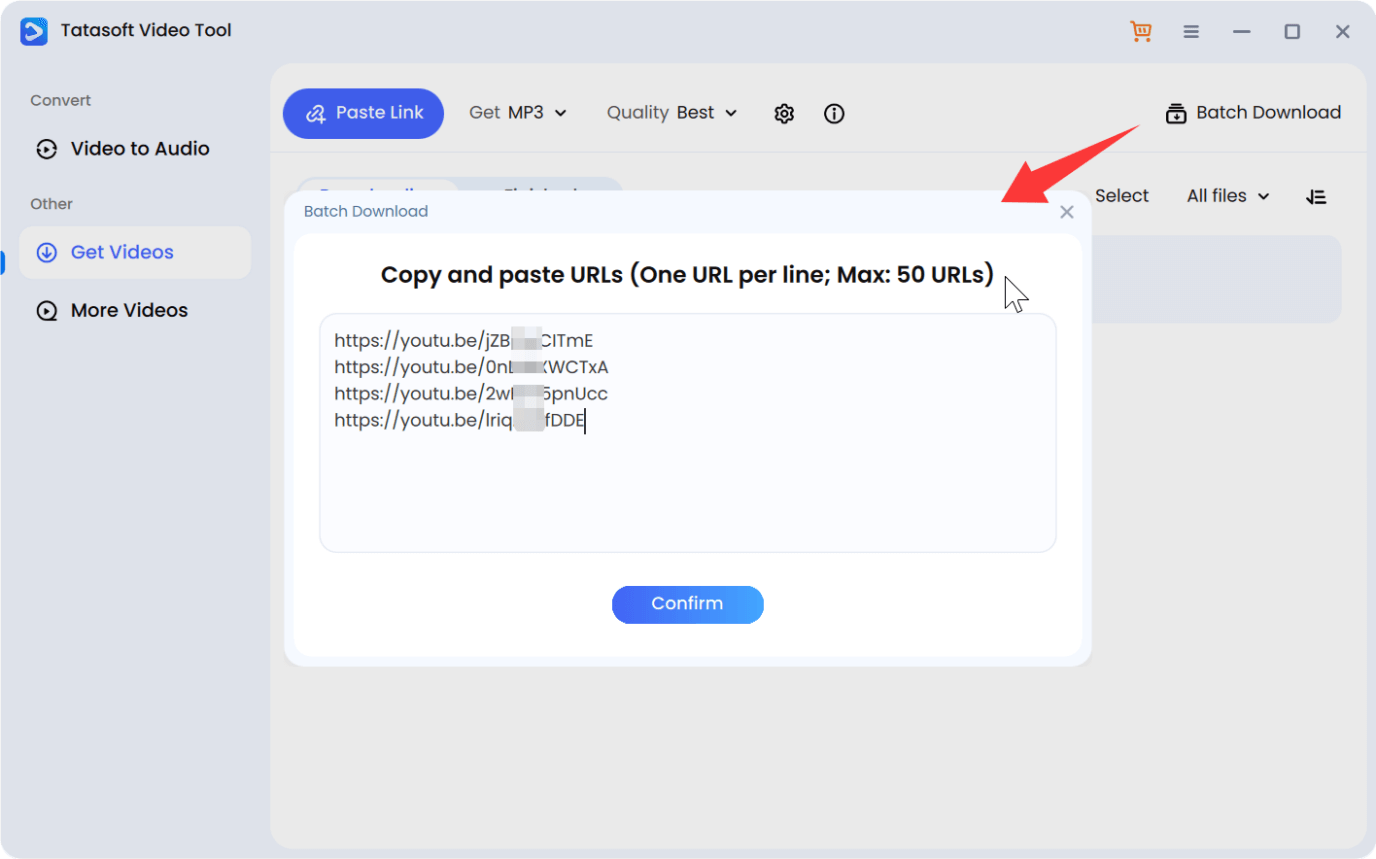
With batch processing, you not only save time but also create a structured, organized workflow that scales efficiently as your audio library grows.
Despite the emergence of newer formats like AAC and FLAC, MP3 continues to be the preferred choice for audio extraction due to its versatility and practicality.
Advantages include:
MP3’s combination of accessibility, storage efficiency, and sound quality ensures it remains relevant for casual listeners and professionals alike.
Not all online video sources deliver the same audio quality, which directly impacts MP3 conversion results.
Platform considerations:
Selecting videos with higher audio quality and avoiding over-compressed content ensures that your converted MP3s are as close as possible to the original sound.
Video compression directly affects the final MP3 file’s quality. Platforms often compress audio streams to reduce bandwidth usage, which can introduce several issues:
To mitigate these effects, prioritize high-resolution videos, avoid unnecessary re-encoding, and use software that preserves the original audio during conversion.
Converting videos to MP3 is only part of the process; post-conversion optimization ensures the best listening experience. While MP3 is a compressed format, there are several ways to enhance clarity, balance, and usability.
These adjustments transform raw converted files into polished audio, suitable for personal enjoyment, presentations, or professional use.
Even though MP3 is a compressed format, large audio collections can quickly consume storage, particularly at higher bitrates. Effective file size management ensures your library remains accessible without compromising too much on quality.
Strategies to balance size and quality:
Following these steps ensures your MP3 library remains practical, organized, and sustainable, especially as you continue adding more content over time.
Converting online video to MP3 allows users to capture, organize, and enjoy audio content with ease. By understanding audio extraction, platform quality, compression effects, and conversion tools, you can ensure professional-grade MP3 files with consistent fidelity.
stands out as a reliable video downloading solution, delivering uncompromisingly secure, high-quality MP3 conversion from YouTube, Facebook, X and Vimeo, etc. Boasting batch processing, metadata management and customizable settings, it empowers users to build well-organized, high-fidelity audio libraries. What’s more, it also supports MP4 conversion.
Start converting online videos to MP3 today and take control of your audio content, enjoying clear, portable sound wherever you go.
A dedicated technical writer at Tatasoft with over four years of specialized expertise in computing technology. She crafts actionable, user-centric content for tech niches, specializing in disk cloning, data management, and video solutions for Windows and Mac.
Read full bio
This article has been approved by Ben Lee. Ben's dedication to excellence and his comprehensive knowledge of Windows and Mac technologies make him an essential part of any technical writing team. With a career marked by continuous learning and adaptation to new technologies, Ben remains at the forefront of the ever-evolving tech landscape.