
Written byJanet BashorunUpdated on Feb 12, 2026

Brief introduction: In 2026, Facebook Reels have become a primary source for creative inspiration, life hacks, and entertainment. However, Facebook does not offer a native feature to save these videos directly to your device gallery. This guide provides a comprehensive Facebook Reels download solution using the professional Tatasoft Video Tool, ensuring you can preserve your favorite content in full quality for offline viewing.
In this article
Facebook Reels are short-form vertical videos designed for fast consumption. They cover a diverse range of niches, from high-energy travel clips to detailed DIY tutorials:
While originally meant for in-app scrolling, users now want permanent access to these Reels. To ensure you are getting the best experience, you should always download online videos using tools that prioritize resolution and audio-to-video synchronization. Here’s why:
| Reason for Reels Download | Example Scenarios |
|---|---|
| Offline viewing | Watching Reels during flights or commutes with no internet |
| Content inspiration | Creators saving clips to reference editing styles, music, or captions |
| Tutorial preservation | Recipes, workouts, or DIY hacks that may get deleted later |
| Personal archiving | Keeping sentimental Reels from friends or family |
But before downloading Facebook Reels, two important rules apply:
Most users wonder: "If I can download my own Reels, why can’t I download others?"
Facebook restricts direct downloads to protect creator ownership and maintain platform engagement. The "Save" button in the app is merely a bookmark, not a file downloader.
| Feature | Facebook Save Button | Actual Reel Download |
|---|---|---|
| Offline Access | No | Yes |
| File Storage | Inside Facebook app only | Device gallery/PC |
| Share Outside FB | Limited | Full control |
| Risk of Removal | Disappears if uploader deletes | Permanent copy |
Since Facebook blocks permanent saving, users turn to alternatives like:
Before picking your method, understand how each approach actually works. Here we will introduce the 3 methods details and compare them. Then you can check and choose the one best for you.
The Save Button only bookmarks the reel inside your account. It does not give offline access, and you lose it if the creator removes it.
How It Works:
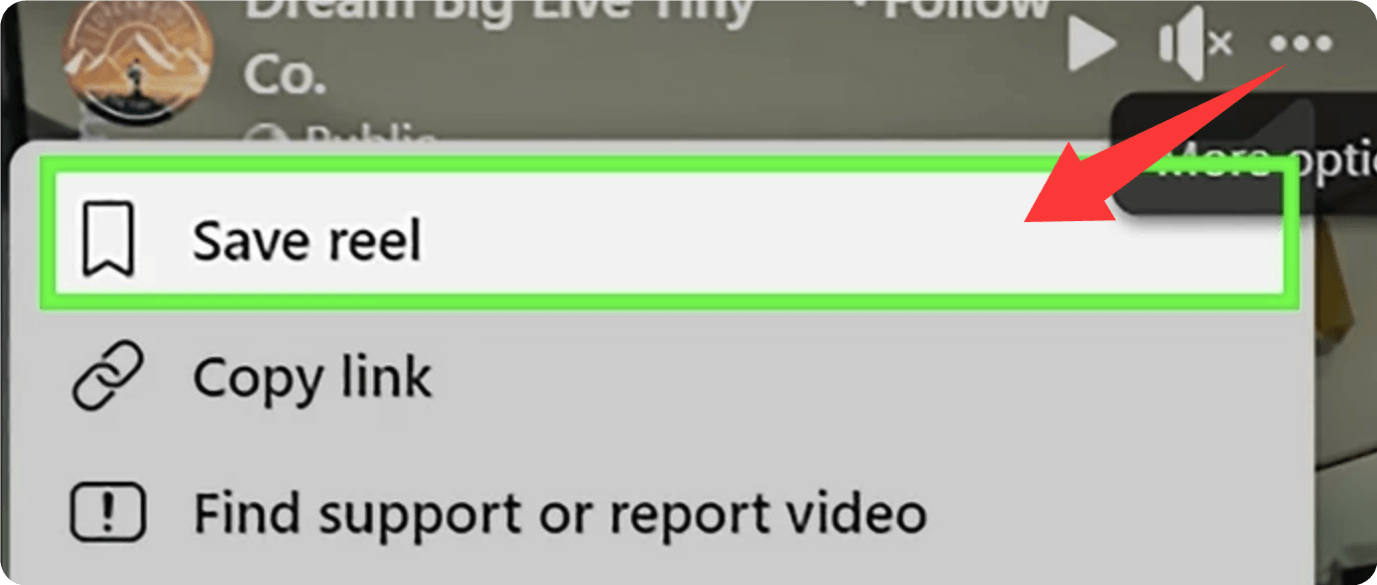
This method is best for temporary bookmarking or quick rewatching inside Facebook only not true downloading. If you want to have an offline copy for the video, you need to download the reel in other ways.
For users who demand 1080P or 4K resolution without the annoyance of ads or watermarks, Tatasoft Video Tool is the most powerful solution. It allows you to download videos to PC or laptop with just a few clicks. This method involves copying the Reel’s link and pasting it into dedicated video downloader software.
✔ Preserve 1080P quality or higher
✔ Maintain audio-to-video sync
✔ Offer batch downloads for multiple Reels
✔ Avoid malware and fake buttons
This brings us to the recommended walkthrough. If you want clean, watermark-free downloads, follow these steps:
Step 1: Download and install Tatasoft Video Tool
Download Tatasoft Video Tool from the official website (Windows/Mac). Install the software on your computer.
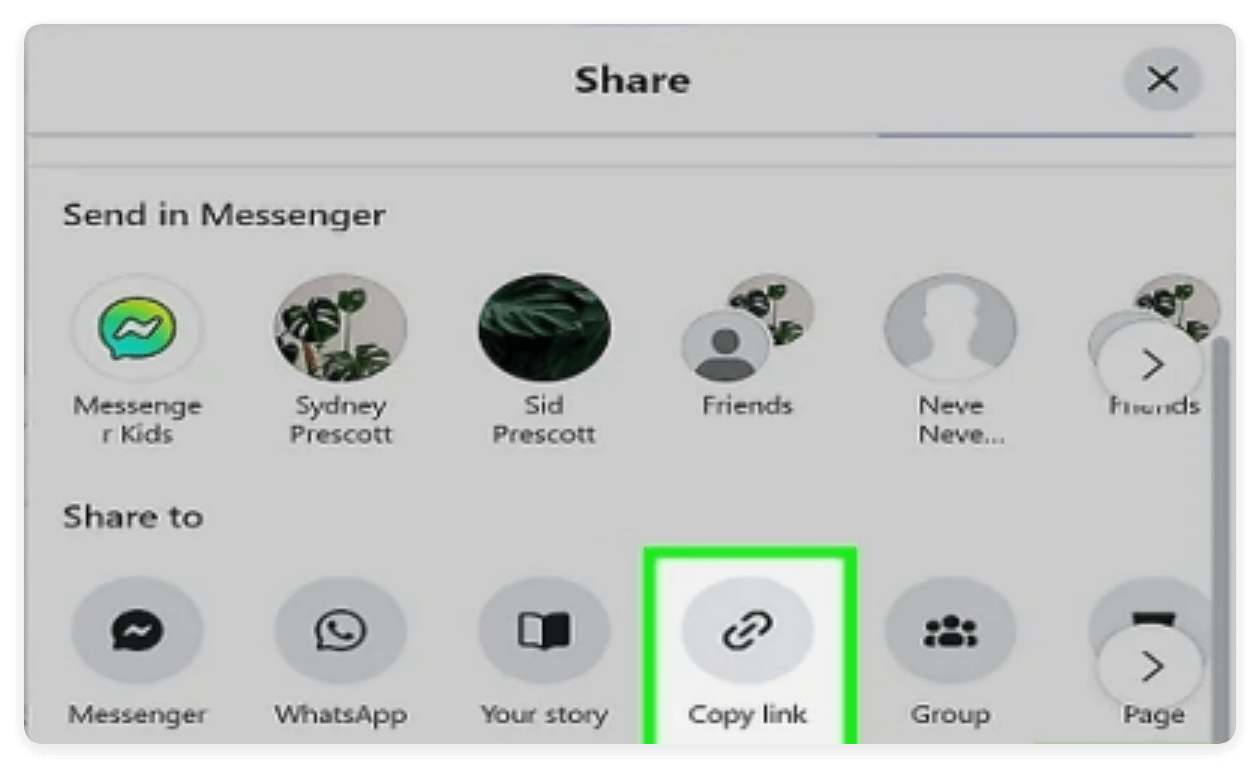
Step 2: Copy the video URL for a Facebook Reel
Open Facebook and find your desired Reel. Tap Share and then click Copy link.
Step 3: Choose video format and quality
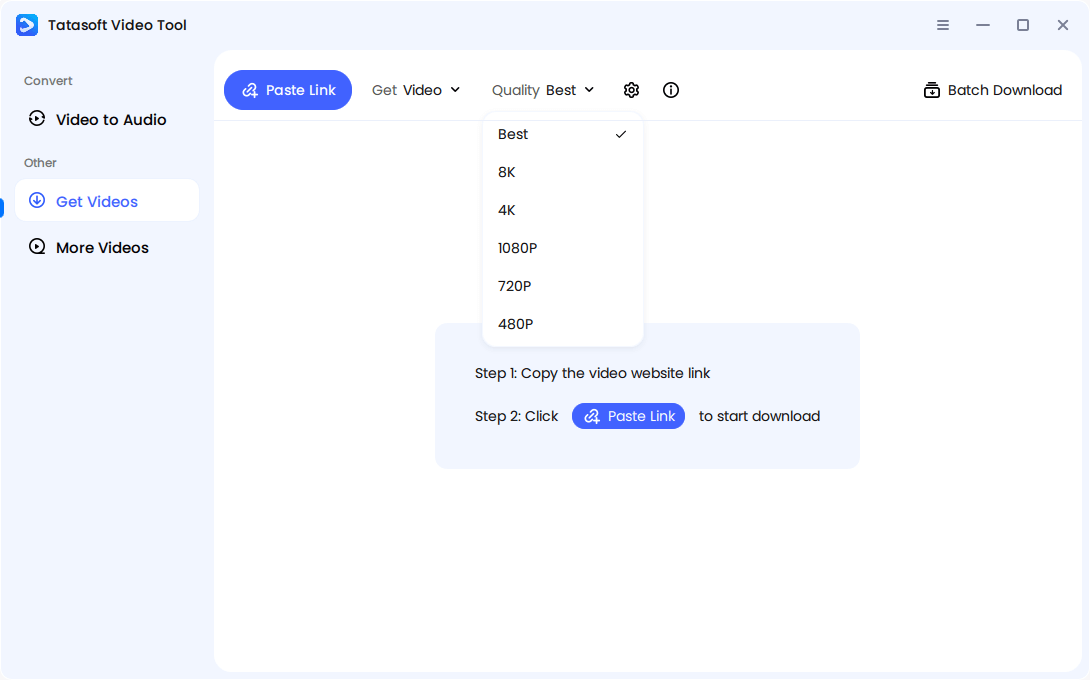
Run Tatasoft Video Tool and change to Get Videos option. MP4 recommended for the video format and select resolution (1080P or higher).
Step 4: Start downloading Facebook reel
Click Paste Link button in the software to insert the Facebook Reel URL to the software. It will automatically analyze the URL first and then start the video downloading process.
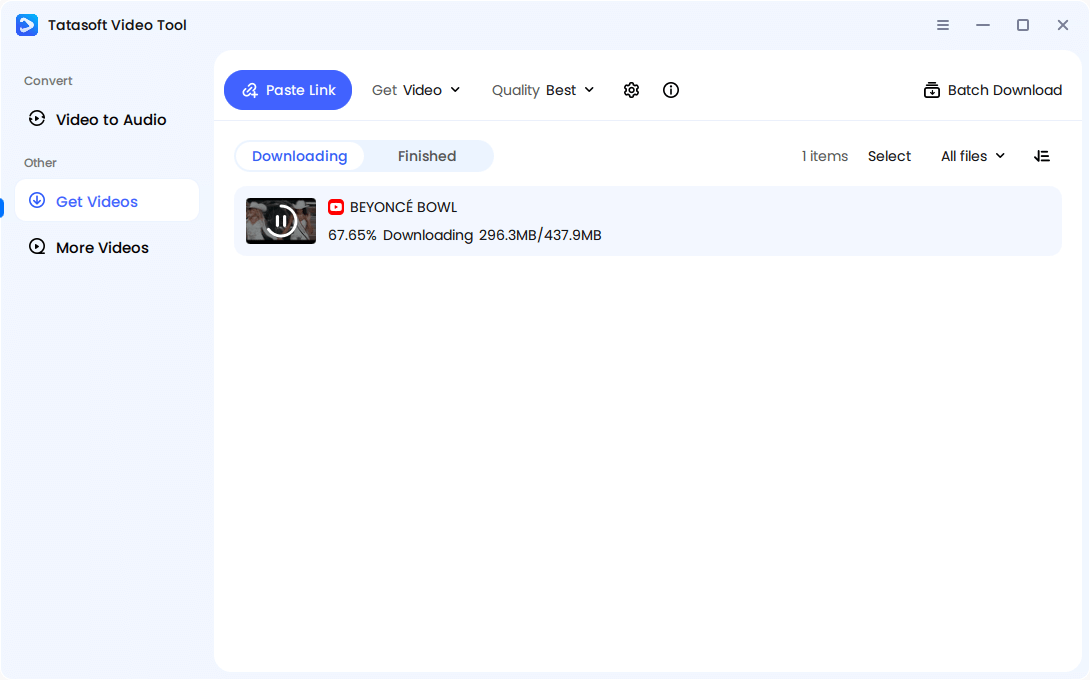
Step 5: Access the downloaded video
Access saved files in the Library section once the Facebook reel is downloaded successfully. You can feel free to play, move, edit or do any other operations to manage the Facebook Reels offline.
Extra Tip: If you frequently collect Reels (e.g., inspiration for marketing or editing references), use Tatasoft’s batch mode — paste multiple links at once for automated downloading.
Another advantage of using Tatasoft is its cross-platform support. In addition to Facebook, you can seamlessly download Instagram Reels or capture trending YouTube Shorts and Reels. This makes it a central hub for all your short-form video needs.
The another way is to take screen recording for Facebook Reels. Both Android and iPhone have built-in screen recorders. It technically works, but introduces major issues:
How It Works:
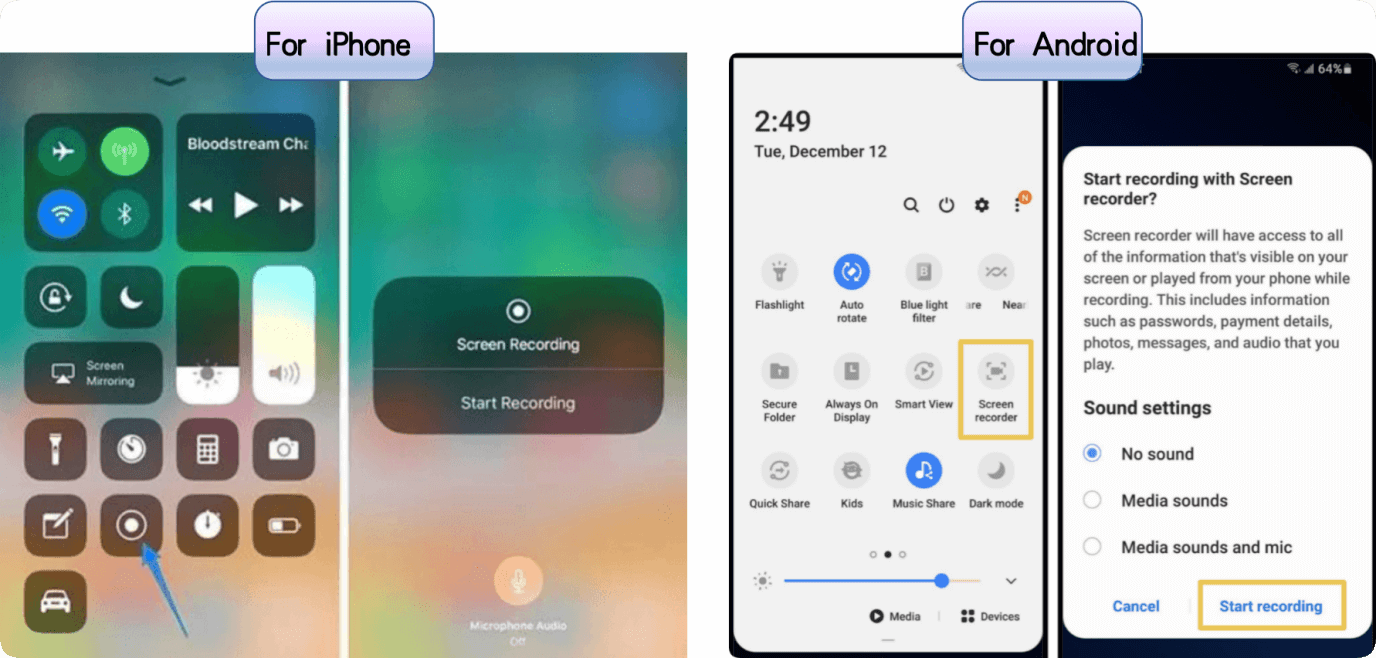
This method is best used only for quick personal references. If you need to download the Facebook Reels with high quality, it's better to use a reliable software.
| Feature | Tatasoft Video Tool | Screen Recording |
|---|---|---|
| Quality | High | Video resolution loss |
| Android | Download via PC → Transfer, or use emulator | Store directly on Android devices |
| iPhone/iPad | Download on desktop → Transfer via AirDrop or USB | Store directly on iOS devices |
| Batch Mode | Yes (Download 10+ at once) | No (One by one) |
| MP3 Extraction | Convert FB to MP3 | No |
When downloading Facebook Reels, you may encounter some issues. Here’s a quick troubleshooting bullet list:
Problem 1: Reel opens as a web page, not video?
Check and ensure you copied the direct video link, not the profile link.
Problem 2: Muted audio after download?
Choose MP4 format with embedded audio instead of silent container types.
Problem 3: Private Reel won’t download?
Only public or shared-with-you content can be accessed.
Problem 4: Downloaded video looks blurry?
Check if the original was uploaded in low resolution (Tatasoft cannot upscale grainy videos).
Problem5: Tatasoft says "Invalid link"?
Remove tracking parameters from the URL (anything after ? or &).
To maintain respect and efficiency, follow these golden rules:
Downloading isn’t just about saving — it’s about preserving responsibly.
Facebook Reels download doesn’t have to be risky or complicated. While the platform limits offline access, if you want high-resolution Reels stored permanently on your device without watermarks or ads, Tatasoft Video Tool provides a stable, high-resolution bridge to permanent file storage especially for users who download frequently.
Whether you’re collecting motivational content, preparing a content strategy, or simply storing feel-good videos, With Tatasoft Video Tool, you get a secure, high-speed, and high-quality solution for every Facebook video download need. Whether you're archiving tutorials or building a music library, do it the right way—cleanly and efficiently.
A dedicated technical writer at Tatasoft with over four years of specialized expertise in computing technology. She crafts actionable, user-centric content for tech niches, specializing in disk cloning, data management, and video solutions for Windows and Mac.
Read full bio
This article has been approved by Ben Lee. Ben's dedication to excellence and his comprehensive knowledge of Windows and Mac technologies make him an essential part of any technical writing team. With a career marked by continuous learning and adaptation to new technologies, Ben remains at the forefront of the ever-evolving tech landscape.