
Written byJanet BashorunUpdated on Dec 23, 2025

Brief introduction: Downloading Instagram Reels has become essential, with daily uploads making content vanish quickly—trends fade, tutorials disappear, and favorite clips may be lost. Saving Reels ensures ownership, offline access to high-quality videos, and full control, which is vital for creators, marketers, or viewers curating clips. However, Instagram’s built-in "save" feature offers limited access, keeping videos online, compressed, and at risk of deletion or privacy changes. This guide covers smart download methods and how tools like Tatasoft Video Tool provide high-resolution, offline-ready Reels for complete content management.
In this article
Instagram Reels aren’t just casual entertainment anymore. For creators, every viral clip represents potential engagement and brand visibility. Marketers rely on Reels to track trends, test campaigns, and inform strategy. Researchers and educators often collect Reels as examples for presentations or case studies. Offline access to Instagram Reels is no longer just a convenience—it’s a strategic necessity. Social media content is highly dynamic: videos can vanish due to account deletions, privacy changes, or algorithmic shifts. By having offline copies, users gain control, reliability, and consistent access to valuable content.
Downloading Reels provides:
Owning offline copies of Reels is a strategic move for professionals who cannot rely solely on in-app access.
Instagram provides limited built-in options to "save" Reels, for example:
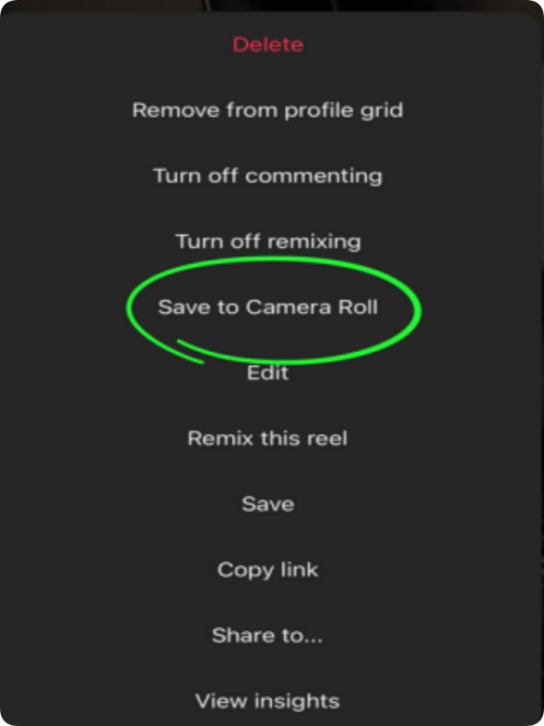
Limitations of these inbuilt options:
In essence, Instagram’s native tools offer convenience but fall short for anyone serious about offline ownership, content repurposing, or professional-quality archiving.
Many users attempt other methods to save Reels. Here’s why these common workarounds are often unsatisfactory:
1. Screen Recording (Mobile/Desktop)
2. Low-Quality Online Tools
3. Browser Media Extraction (Desktop — Advanced Users)
While these workarounds may provide temporary solutions, they are inefficient and risky for frequent or professional use.
A professional solution should address the following criteria:
These features ensure Reels are not only saved but saved in a way that supports productive, ethical content use and archiving.
For serious users, software-level solutions provide reliability, quality, and workflow efficiency. Tatasoft Video Tool is designed to streamline Instagram Reels download while respecting creator rights and professional standards. Tatasoft positions itself as more than a tool; it’s a content workflow upgrade, enabling marketers, creators, and researchers to manage Reels efficiently and professionally.
Key Advantages:
Tatasoft is simple to use and it can download videos from any website quickly. Here’s a practical guide to download Instagram Reels videos with the software:
Step 1: Install Tatasoft Video Tool
Download and follow the instructions to install it (Windows/Mac compatible).
Step 2: Select Resolution & Format
Run Tatasoft Video Tool and change to Get Videos. Choose MP4 and your preferred resolution (HD recommended).
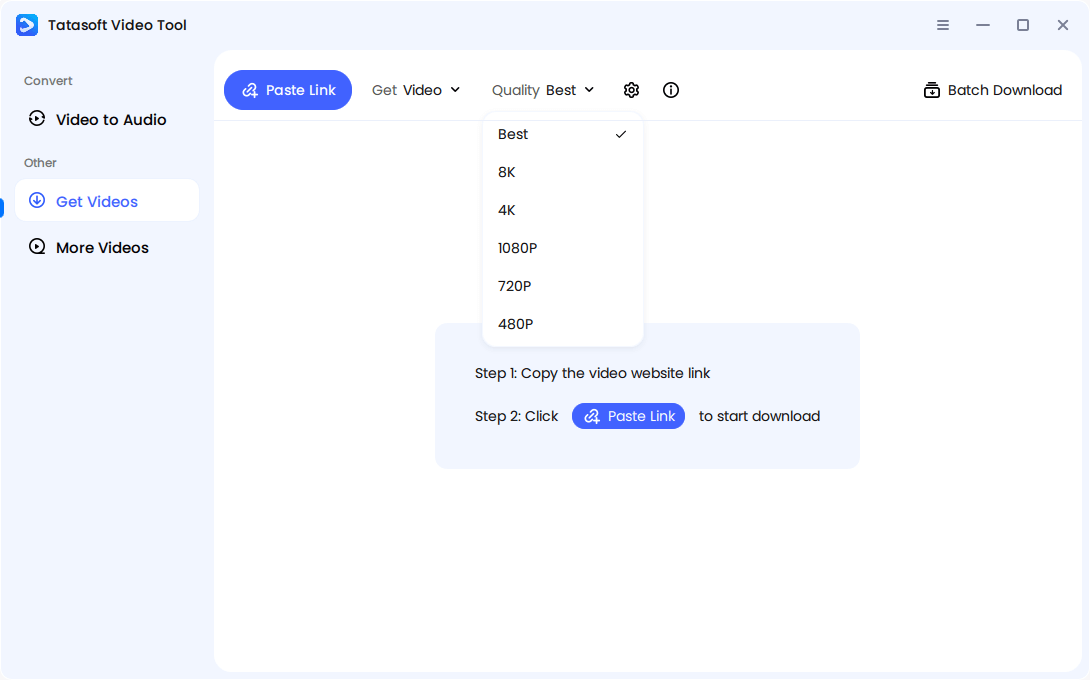
Step 3: Copy Reel Link and Paste
Open Instagram, find the Reel, tap "Share," and select "Copy Link."
Turn to Tatasoft and click Paste Link.
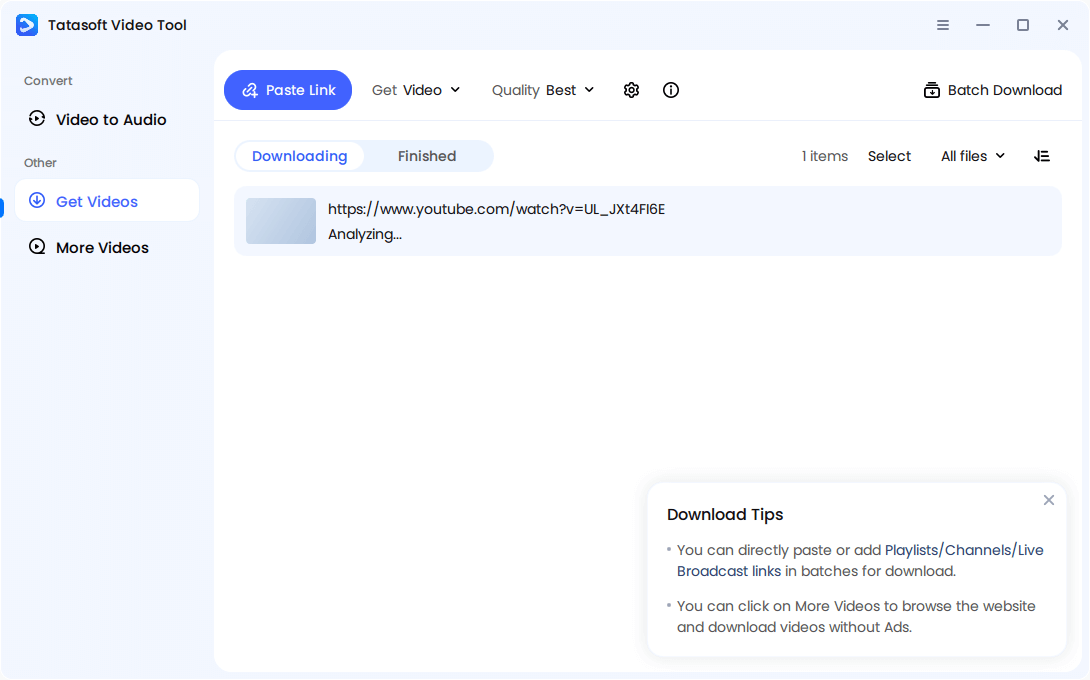
Step 4: Initiate Download
The software will analyse the pasted link and then start the downloading automatically. Just wait for the process to complete.
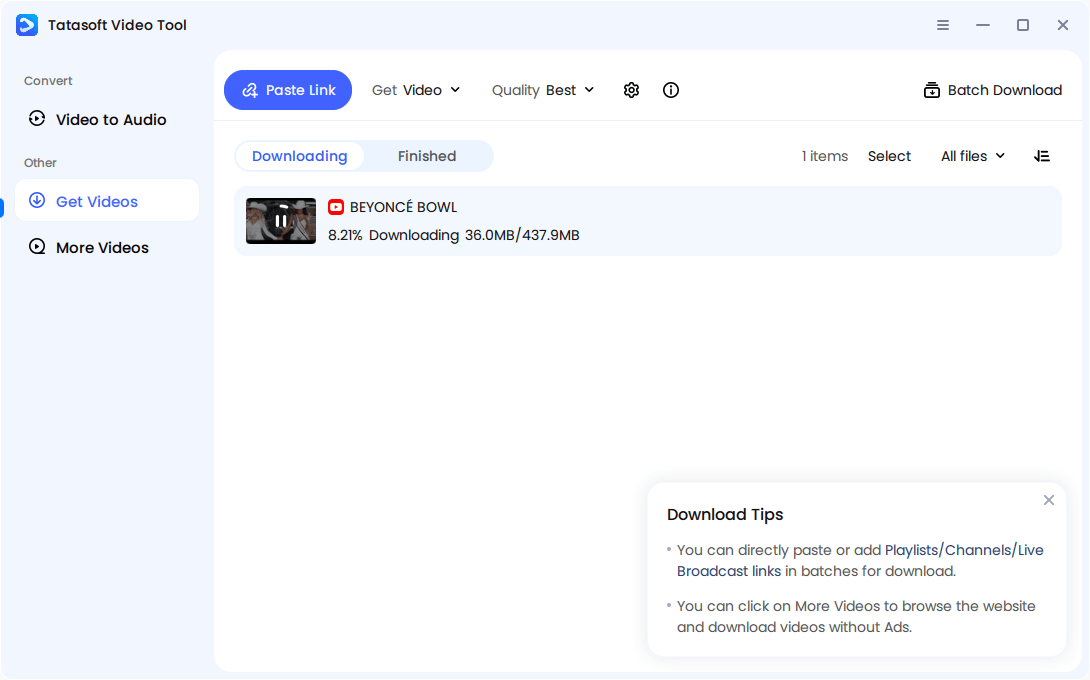
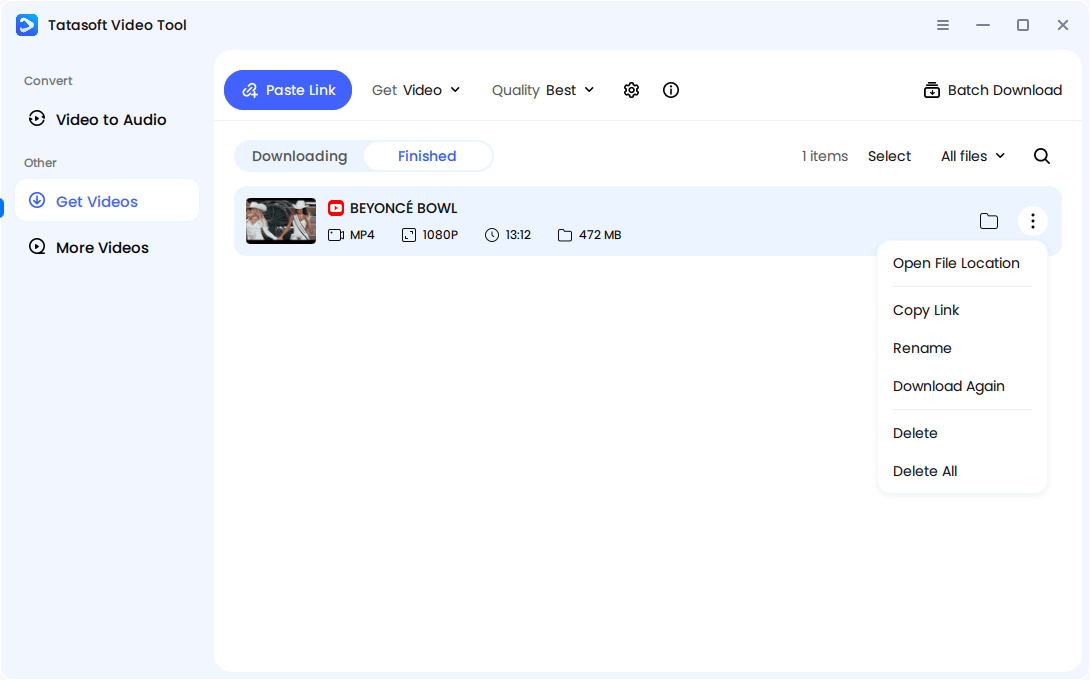
Step 5: Access Saved Reels
Find your downloaded Reels in the Tatasoft Library, ready for offline use or repurposing.
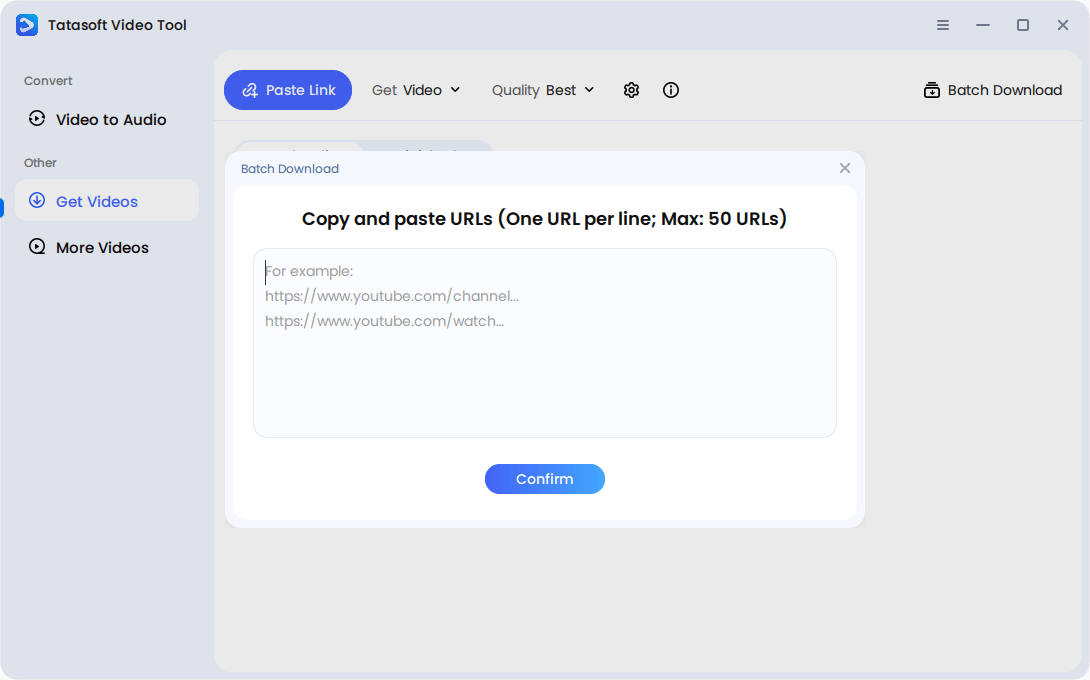
Videos Batch Download
For frequent use, batch mode significantly reduces manual effort and speeds up content management. Click Batch Download in the software. Then you can enter the URLs to the popup window. The software can download all videos from the links at once. You don't need to download one by one.
While tools like Tatasoft Video Tool make it easy to save Reels, ethical downloading is crucial to maintain professionalism and respect for creators:
Adhering to these guidelines ensures that downloading Instagram Reels benefits users without undermining the rights or work of creators, fostering a healthy and sustainable content ecosystem.
Instagram Reels download isn’t just about keeping clips offline — it’s about taking control of your content and ensuring every video you save retains high quality for professional, creative, or personal use. Casual workarounds and built-in save options fall short when it comes to resolution, metadata, and watermark-free output.
By adopting strategic download methods, you gain ownership, organization, and freedom over the Reels that matter most. Tatasoft Video Tool provides a comprehensive solution for downloading Instagram videos and reels in high resolution without watermarks, with batch processing and metadata retention — making content management simple, safe, and professional.
Take control of your Instagram Reels today. Download Tatasoft Video Tool and elevate the way you save, organize, and use your Reels with confidence.
A dedicated technical writer at Tatasoft with over four years of specialized expertise in computing technology. She crafts actionable, user-centric content for tech niches, specializing in disk cloning, data management, and video solutions for Windows and Mac.
Read full bio
This article has been approved by Ben Lee. Ben's dedication to excellence and his comprehensive knowledge of Windows and Mac technologies make him an essential part of any technical writing team. With a career marked by continuous learning and adaptation to new technologies, Ben remains at the forefront of the ever-evolving tech landscape.