
Written byJanet BashorunUpdated on Dec 29, 2025

Brief introduction: Videos dominate today’s digital world, shaping how we learn, work and entertain ourselves. Download video from any website when you want complete control over the content you consume. With the reliable video downloader - Tatasoft Video Tool, you can easily download video in high quality.
In this article
Over the last two decades, video has grown from a novelty on the internet into the most dominant form of content. Platforms like YouTube, TikTok, Instagram, and Vimeo attract billions of users daily, while e-learning portals, corporate training hubs, and streaming services push video into nearly every corner of life.
Here are some milestones in the journey of online video:
This evolution has made video indispensable, but it also highlighted a problem: lack of control. From professional webinars to viral social media clips, much of what we value exists in video format. But often, those videos are temporary, locked behind platforms, or limited by connectivity. Most websites don’t allow downloads. If content is removed or restricted, you lose access. That’s why the demand to download video from any website continues to grow.
Downloading video from any website isn’t just for personal use—it’s becoming a vital tool across industries. Entire sectors depend on video for training, communication, and continuity, and secure downloading ensures these resources remain accessible long-term.
1. Healthcare and Medical Training
Doctors and students rely on surgical demos, case studies, and webinars. Downloading allows hospitals and schools to build offline libraries for constant access, even where internet is unstable.
2. Legal and Compliance
Lawyers and investigators often need to preserve video evidence or regulatory updates. Secure downloading ensures resources stay intact for audits and case references.
3. Non-Governmental Organizations (NGOs)
NGOs in rural areas use downloaded campaigns, training, and awareness videos to reach communities with limited connectivity.
4. Education and E-Learning
Schools and platforms can save lectures and workshops, integrating them into offline learning systems without the risk of disappearing content.
5. Corporate Enterprises
Businesses download webinars, product launches, and training sessions to keep teams aligned across time zones and to archive knowledge for future use.
By serving these industries, the ability to download video from any website proves to be more than entertainment—it’s a driver of knowledge, communication, and professional growth.
Downloading video from any website is powerful, but the process is rarely smooth without the right tool. The web today is filled with barriers that make it harder than ever to save the videos you need.
Here are some of the most common challenges users face:
How Tatasoft overcomes these issues:
Instead of dealing with roadblocks, Tatasoft gives you a smooth, professional experience every time.
Not every user downloads videos the same way. Some want speed, while others need precision and customization. Tatasoft Video Tool offers both—so you can choose the method that fits your situation.
Option 1: Quick Download (Fast & Effortless)
Step 1: Find the video you want to save and copy its URL from the browser.
Step 2: Launch the software on your device. Its interface is user-friendly, even for beginners.
Step 3: Change to Get Videos and insert the copied link into the software by click the Paste Link button.
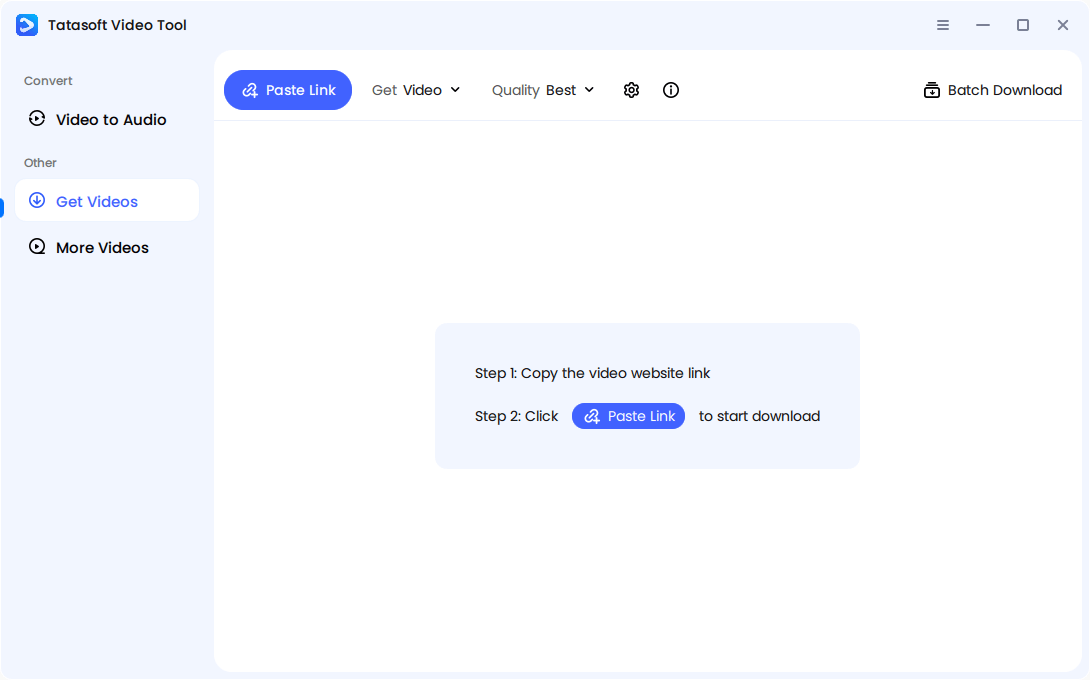
Step 4: The software will start to analyze the link and then start downloading. A progress bar shows real-time updates.
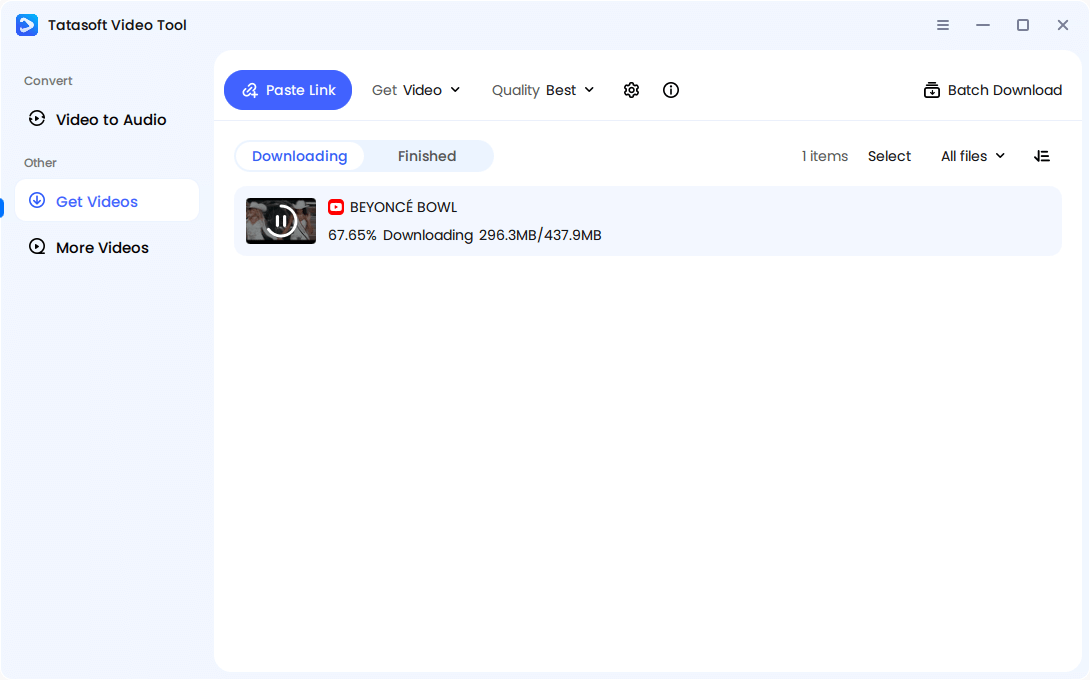
Once the downloading process is done. Your video is now saved on your device, ready for work, study, or entertainment without internet restrictions. Ideal for casual users who want their video saved quickly without tinkering with settings.
Option 2: Custom Download (Full Control at Your Fingertips)
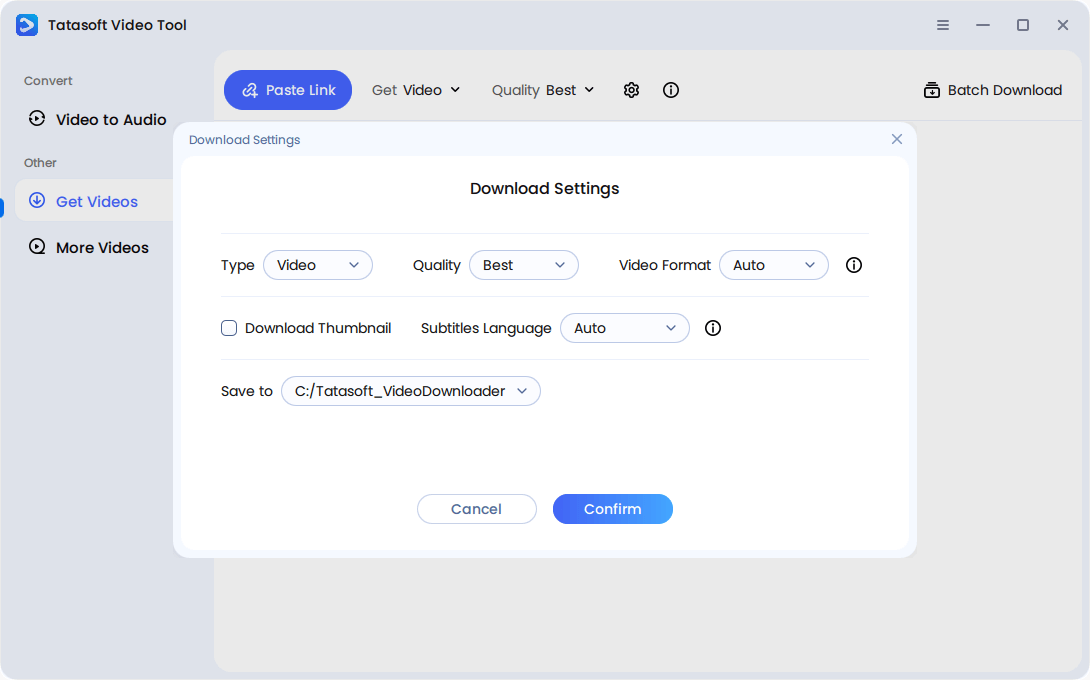
Step 1: Open the software and click Download Settings.
Step 2: Choose the resolution you prefer: 480p for smaller files, 720p for standard HD, 1080p for full HD, 4K, or 8K for maximum clarity.
Step 3: Select the file format you need—MP4 for universal compatibility, MKV, AVI for advanced features, or even extract just the audio as MP3.
Step 4: Set advanced options like subtitles or metadata if required.
Step 5: Queue up multiple links for batch downloading, allowing you to save entire playlists, lectures, or training series in one go.
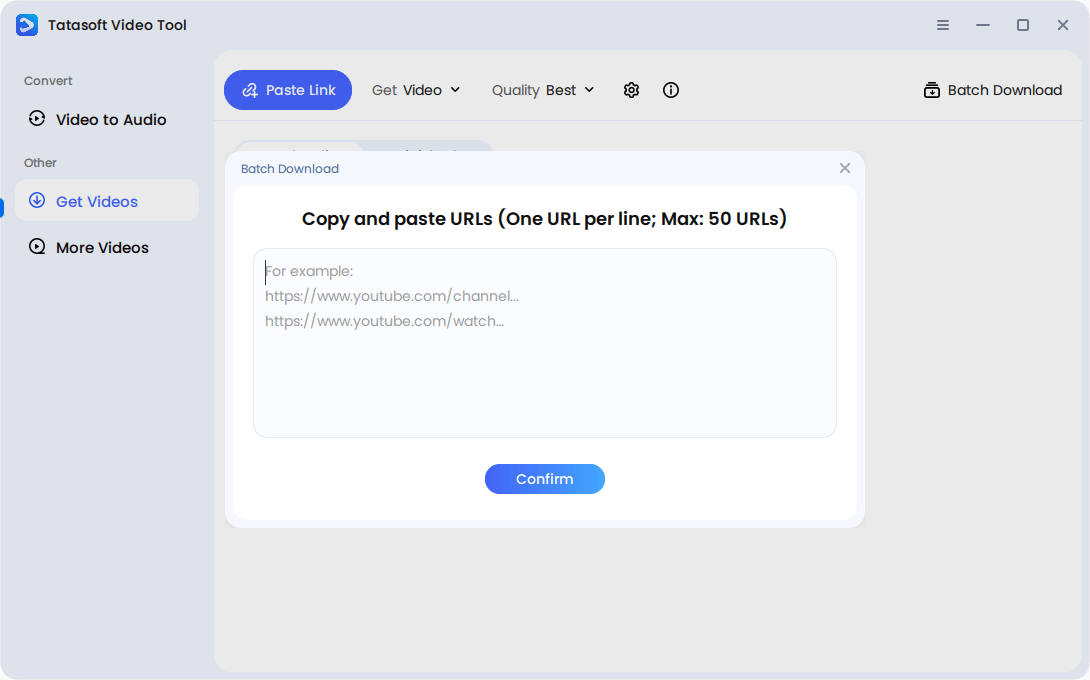
Step 6: Track your download progress and manage files directly from the Tatasoft dashboard.
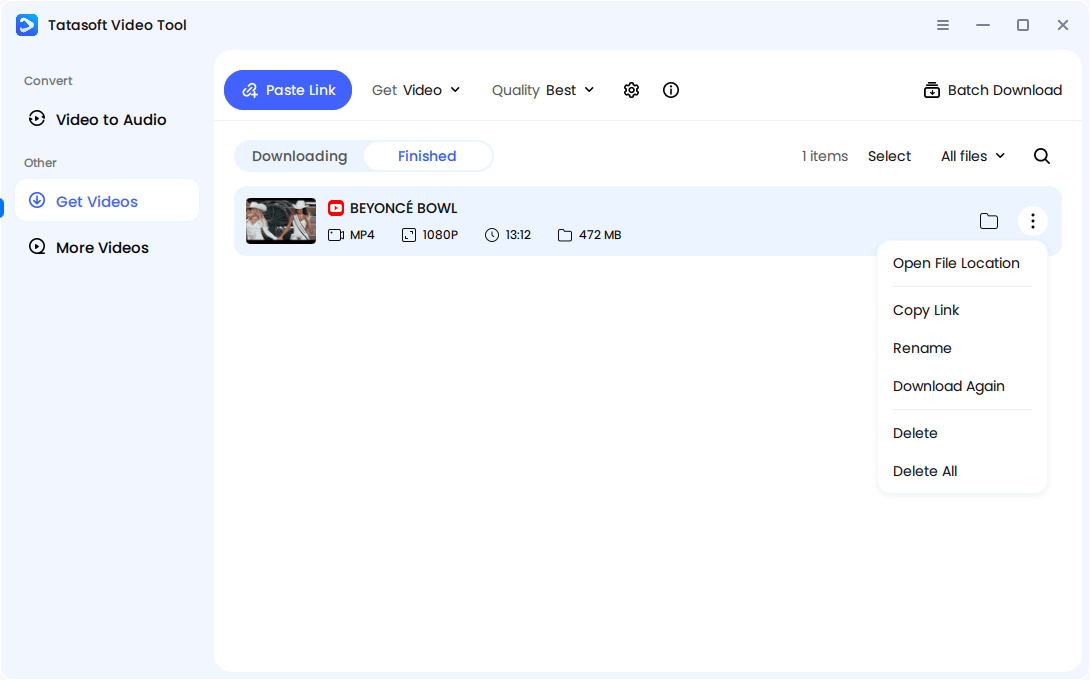
Perfect for professionals, educators, or content creators who need specific formats, quality, or multiple files at once.
By offering both quick and custom methods, Tatasoft ensures anyone can download video from any website in the way that suits them best.
Tatasoft is more than just a simple video downloader. With the right strategies, you can maximize its value:
These advanced practices turn downloading from a convenience into a professional advantage.
Even though downloading is useful, many misconceptions still discourage people from doing it. Let’s debunk some of the most common myths:
Myth 1: You can only download from YouTube.
False. With tools like Tatasoft Video Tool, you can download video from any website, including TikTok, Instagram, Facebook, Vimeo, and e-learning portals.
Myth 2: Downloading videos is always illegal.
Wrong. Downloading for personal use, study, or backup is completely fine. What’s illegal is redistributing copyrighted material without permission.
Myth 3: Free online downloaders are safe enough.
Not true. Most free tools come with hidden risks such as malware, unstable downloads, or poor-quality output.
Myth 4: Downloaded videos are always low quality.
Outdated belief. Modern tools like Tatasoft allow you to choose formats and resolutions up to 4K.
Myth 5: Downloading is too technical.
Incorrect. Today’s tools are designed with simple interfaces—copy, paste, download. Anyone can use them without special skills.
Debunking these myths shows that downloading isn’t complicated or unsafe—it just depends on choosing the right tool.
Downloading video from any website gives you power, but responsibility should guide its use. Follow these best practices:
By downloading responsibly, you protect yourself legally and ethically while maximizing the benefits of offline access.
The ability to download video from any website goes beyond convenience—it’s part of how we stay in control of the content that shapes our lives. In an age where streaming dominates and platforms decide what stays online, downloading gives you ownership over the videos you value most.
Tatasoft Video Tool is built for this new era of digital freedom. It ensures:
By choosing Tatasoft, you equip yourself with a safe, reliable, and versatile solution for downloading video from YouTube, Facebook, X, and any other websites—without limitations or risks. Start making the most of your digital content today with a tool designed for long-term value.
A dedicated technical writer at Tatasoft with over four years of specialized expertise in computing technology. She crafts actionable, user-centric content for tech niches, specializing in disk cloning, data management, and video solutions for Windows and Mac.
Read full bio
This article has been approved by Ben Lee. Ben's dedication to excellence and his comprehensive knowledge of Windows and Mac technologies make him an essential part of any technical writing team. With a career marked by continuous learning and adaptation to new technologies, Ben remains at the forefront of the ever-evolving tech landscape.