
Written byJanet BashorunUpdated on Jan 05, 2026

Brief introduction: Download online videos for uninterrupted access to your favorite or needed content - tutorials, webinars, clips, presentations, and more, all central to today's digital world, especially when internet is limited, downloads are restricted, or content is deleted. This guide explains why downloading matters and how Tatasoft Video Tool helps save meaningful online videos for all users.
In this article

Over the past decade, online video has transformed from a luxury to a necessity. Platforms like YouTube, Instagram, TikTok, and Vimeo dominate daily engagement, while streaming services deliver movies, series, and documentaries. According to recent reports, video makes up more than 80% of internet traffic globally.
The solution? Download online videos and maintain control. Offline access breaks free from these barriers, ensuring users can learn, work, and entertain themselves without depending on constant connectivity.
Not all video downloaders are created equal. To reliably download online videos, a tool should offer:
Tatasoft Video Tool ticks all these boxes, making it a trusted video downloading solution for anyone serious about video access.
While many free sites and browser extensions promise to help you download online videos, they often come with serious downsides:
This is why professional-grade solutions like Tatasoft Video Tool are worth using, they eliminate these risks while delivering consistent, safe, and high-quality downloads.
Tatasoft Video Tool stands out as more than just another tool—it’s a complete solution designed to help you download online videos from any website securely and in the best quality available.
Key Features of Tatasoft:
With these features, Tatasoft goes beyond convenience—it redefines secure online video downloads and seamless video to MP3 conversion.
Here’s how simple it is to save your favorite or most important videos using Tatasoft Video Tool:
Step 1: Copy the Video Link
Navigate to the video you want to save and copy its URL.
Step 2: Select Your Preferences
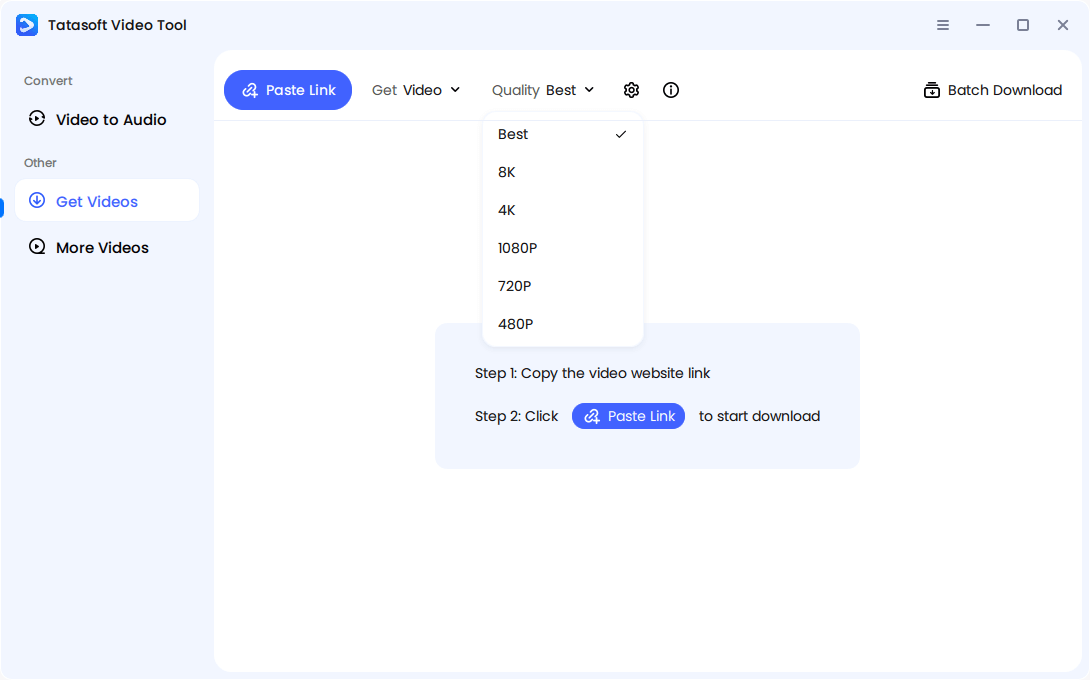
Launch Tatasoft Video Tool on your computer and change to Get Videos. Choose resolution (480P, 720P, 1080P, 4K, 8K), format (MP4, MKV, AVI, etc.), or audio-only if you prefer.
Step 3: Paste the Link
Insert the copied link by clicking the Paste Link button. The software will start to analyze the URL.
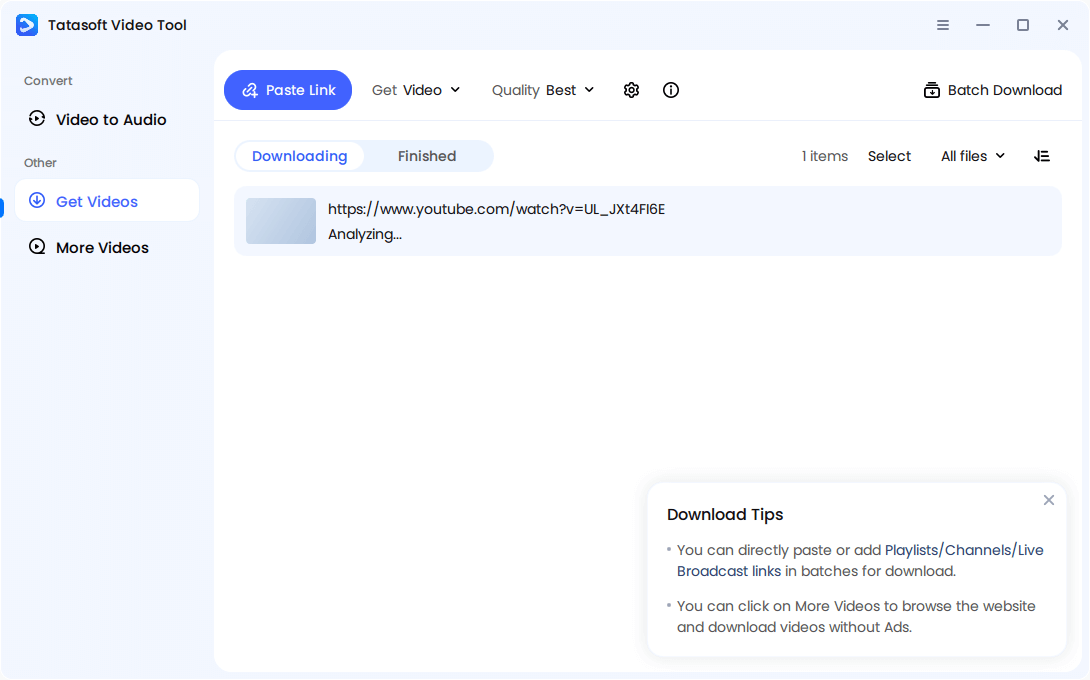
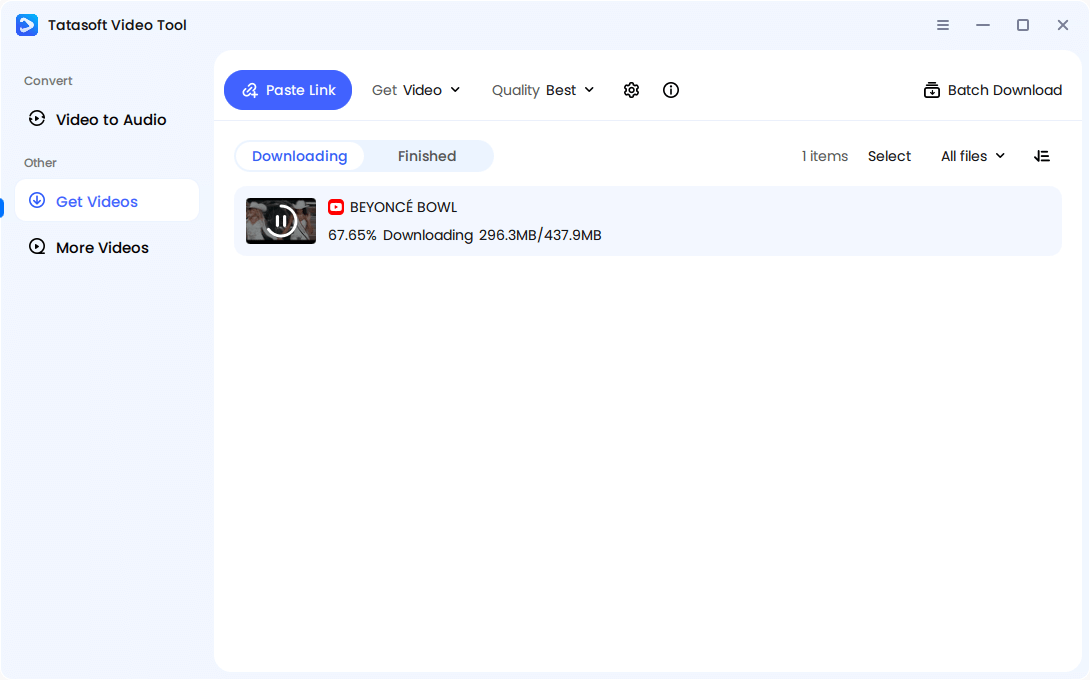
The software will start to download the video automatically once the analyzing is completed. A progress bar shows the status while Tatasoft handles the process smoothly.
Step 4: Enjoy Offline Access
Once saved, your video is stored securely—ready to be played anytime, without buffering or restrictions. Within minutes, you’ve downloaded an online video in your preferred format and resolution.
Downloading is powerful, but responsible usage ensures you maximize benefits without issues. Follow these tips:
By following these best practices, you ensure your downloads stay purposeful and ethical.
Downloading online videos opens up creative and professional opportunities beyond casual viewing. Some examples include:
With Tatasoft Video Tool, these use cases become easy, safe, and practical.
Downloading online videos makes daily life smoother, more productive, and more enjoyable. It’s not just about saving clips—it’s about gaining flexibility and control over when and how you access them. Some everyday advantages include:
1. Learning Without Barriers - Students can download lectures, tutorials, or course modules to review offline. This ensures they aren’t tied to internet quality and can study whenever they want—during breaks, while traveling, or in areas with poor connectivity.
2. Travel-Friendly Entertainment - Long flights, road trips, or commutes are easier with offline videos. Instead of relying on costly or patchy Wi-Fi, travelers can carry hours of entertainment or educational material right on their devices.
3. Creative Reference Material - Designers, musicians, and other creatives often download videos that spark ideas—whether that’s a design showcase, a music performance, or a tutorial. Keeping this content offline means inspiration is always within reach.
4. Reliable Access in Remote Areas - People living in rural or developing regions often deal with weak networks. With downloads, they can stay connected to global trends, educational content, and news without being limited by poor internet access.
5. Personal Archives - Some videos—like family uploads, special events, or rare interviews—don’t stay online forever. Downloading ensures they’re preserved safely before platforms remove or restrict them.
These everyday benefits show how downloading online videos supports personal growth, convenience, and meaningful connections in a fast-moving digital world.
Downloading varies slightly depending on the device you’re using. Thankfully, modern tools like Tatasoft make it possible across platforms.
1. On Windows & macOS Laptops
Desktop users can rely on Tatasoft’s lightweight software. With just a URL pasted into the tool, downloads begin instantly. These files can then be organized into folders or synced with cloud storage.
2. On Smartphones (iOS & Android)
Mobile-friendly versions of video downloaders allow users to grab videos on the go. Whether saving a TikTok clip or a YouTube lecture, videos are optimized for small-screen playback.
3. On Tablets
Tablets act as hybrid devices for professionals and learners. Downloaded webinars or courses on tablets create a portable classroom or workplace toolkit.
4. On Smart TVs
Some smart TVs support external storage or app integrations. Users can download videos on laptops, transfer them via USB, and enjoy smooth offline viewing on larger screens.
By offering compatibility across devices, Tatasoft ensures no one is left out—whether at home, school, or work.
Video continues to dominate the internet, and demand for downloading will only grow. Platforms are tightening restrictions, but solutions like Tatasoft keep users in control.
The future may bring:
Far from being a luxury, downloading online videos will remain essential for both personal and professional digital independence.
The ability to download online videos from link safely is more than convenience—it’s about freedom, control, and long-term value. From education and business to research and entertainment, offline access makes life easier and more productive.
Free tools may put your privacy, security, and video quality at risk. While free tools often jeopardize your privacy, security and video quality, Tatasoft Video Tool delivers a reliable, high-performance and versatile cross-platform alternative, empowering you to save your most valuable videos securely, in optimal format and with zero compromises.
A dedicated technical writer at Tatasoft with over four years of specialized expertise in computing technology. She crafts actionable, user-centric content for tech niches, specializing in disk cloning, data management, and video solutions for Windows and Mac.
Read full bio
This article has been approved by Ben Lee. Ben's dedication to excellence and his comprehensive knowledge of Windows and Mac technologies make him an essential part of any technical writing team. With a career marked by continuous learning and adaptation to new technologies, Ben remains at the forefront of the ever-evolving tech landscape.