
Written byJanet BashorunUpdated on Mar 31, 2026

Brief introduction: As a seasoned IT specialist, I've seen countless Mac users struggle with the same frustration: Apple's ecosystem is beautiful, but it's a "walled garden." Whether you are a DJ hunting for a rare underground remix, a student needing lo-fi study beats, or a video editor looking for creative commons soundtracks, knowing how to download music from YouTube to Mac is an essential skill. In this guide, I'll share hands-on insights on the most reliable methods like Tatasoft Video Tool to build your offline library without compromising your Mac's security.
In this article
In an era of ubiquitous streaming, why do we still need to download music from YouTube to Mac? As an IT professional who has curated a 500GB personal audio library, I know that "online" doesn't always mean "available." Whether you're a DJ needing a clean track for a gig where the Wi-Fi is spotty, a traveler heading on a long-haul flight, or a video editor looking for that specific royalty-free ambient loop, having a local, high-quality file is non-negotiable. While Apple Music and Spotify cover the hits, they often miss the "hidden gems." Based on user experience, Mac enthusiasts turn to YouTube for:
To maintain a high-quality library, many users seek to download audio from YouTube on Mac to ensure they have the best possible bitrates for offline listening.
While there are dozens of "free" websites, they often compress your audio into a muddy 128kbps mess. To download music from YouTube on Mac with professional fidelity, Tatasoft Video Tool is the industry standard. It’s built specifically for the macOS architecture, ensuring it doesn't hog your CPU like browser-based Java converters.
Most users don't realize that YouTube's "Normal" quality is around 126kbps AAC. When you convert YouTube video to MP3 using Tatasoft, you can force the output to 320kbps, ensuring that even on high-end MacBook Pro speakers or AirPods Max, the highs stay crisp and the bass remains punchy.
Here's how Mac users can save Youtube music files quickly and cleanly with Tatasoft Video Tool:
Step 1. Free download and install Tatasoft Video Tool for Mac.
Step 2. Copy the YouTube link of the music, remix, cover, or sound mix you want: Open YouTube > find the video which contain the music > Click Share > then copy the link.
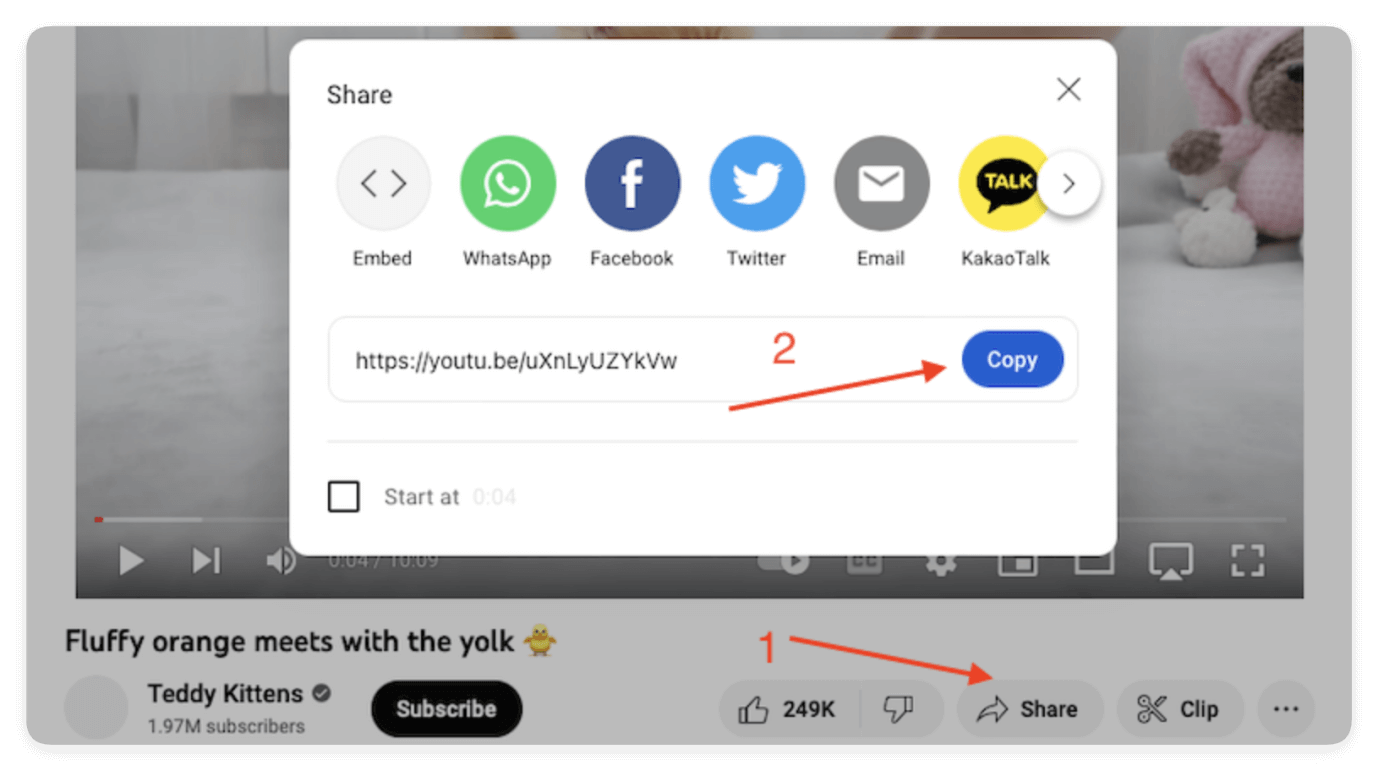
Step 3. Launch & Configure: Launch Tatasoft > Get Videos > click the settings option to set your preferred destination folder (I recommend a dedicated "Inbox" folder in your Downloads).
Step 4. Format Selection: Select your preferred audio format. Choose between MP3 for compatibility or YouTube to WAV conversion if you plan to edit the audio in GarageBand.
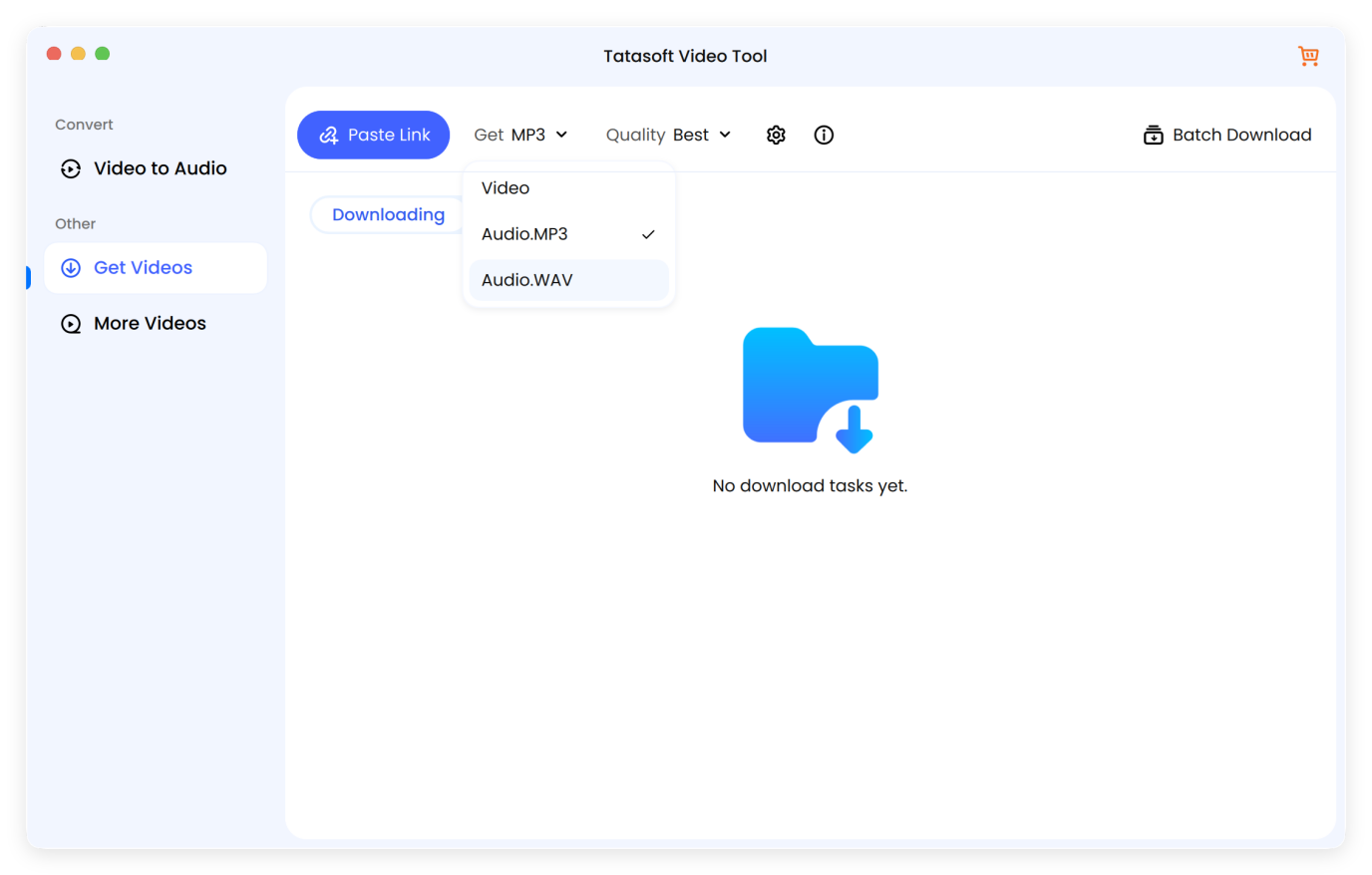
Step 5. Paste the URL: click Paste Link in the dashboard. The software will analyze it to extract the music from the video.
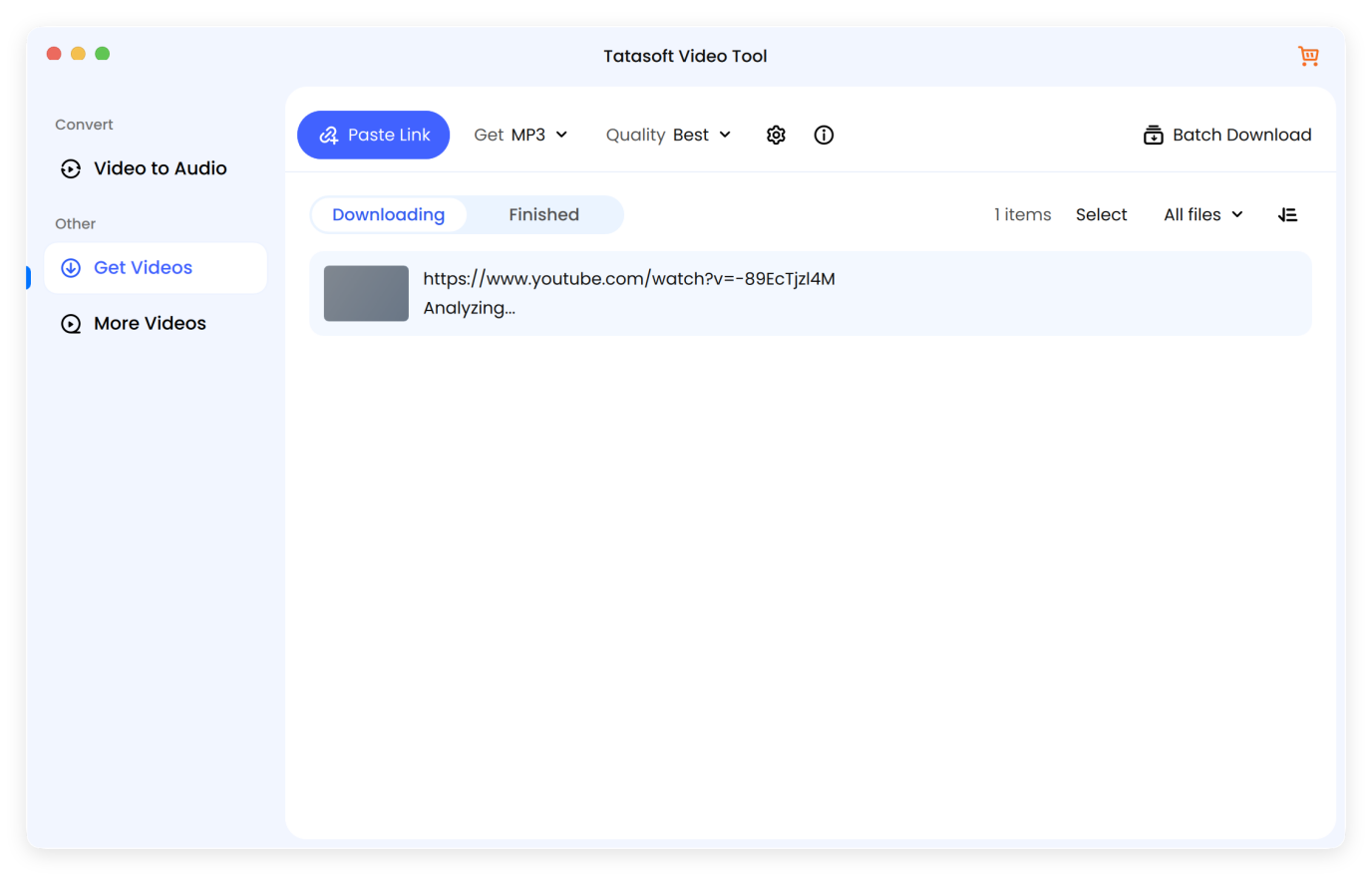
Step 6. Confirm the music download: After analyzing, the software will ask if you want to download the audio (music) file. Just click continue to start.
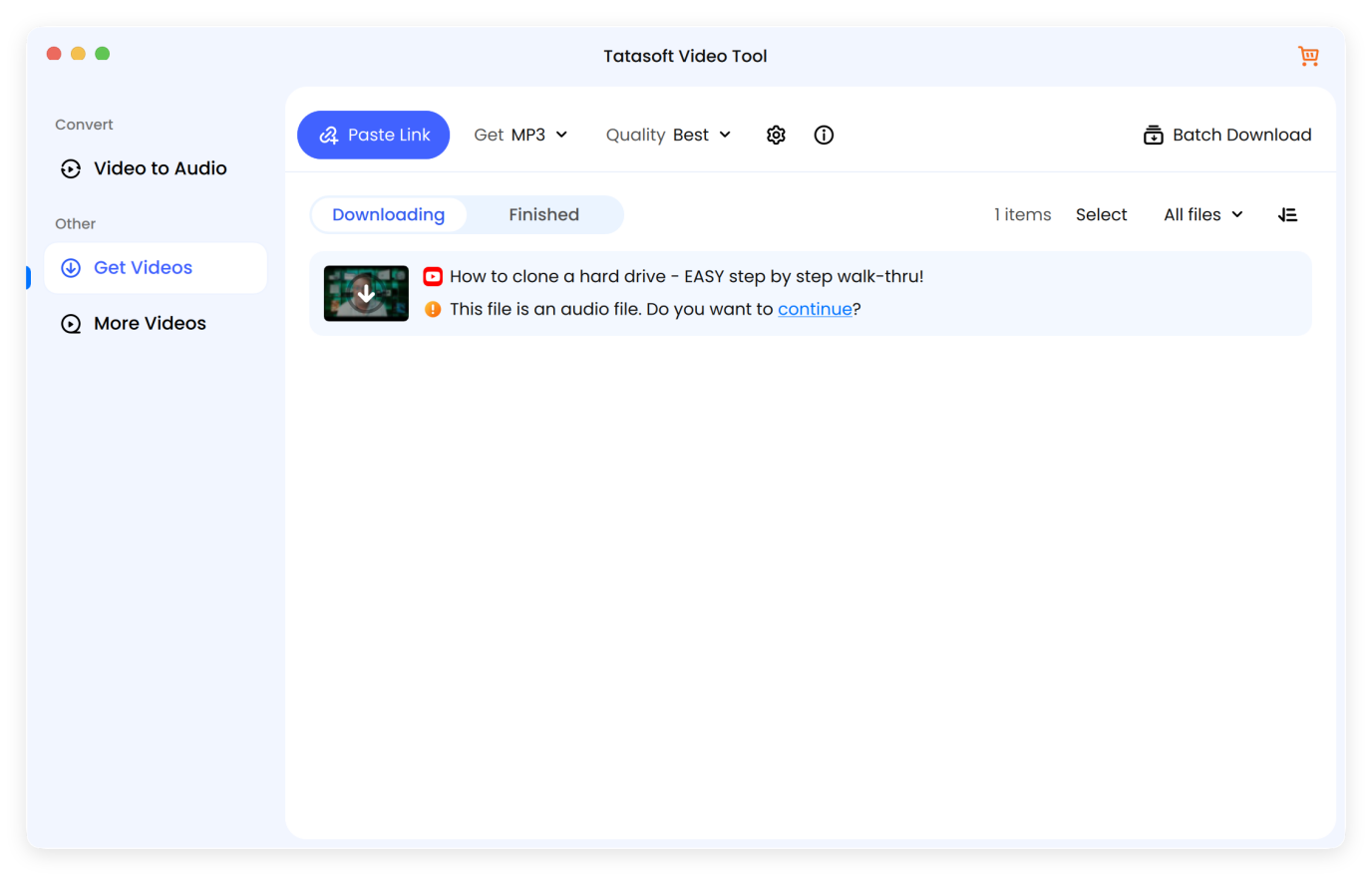
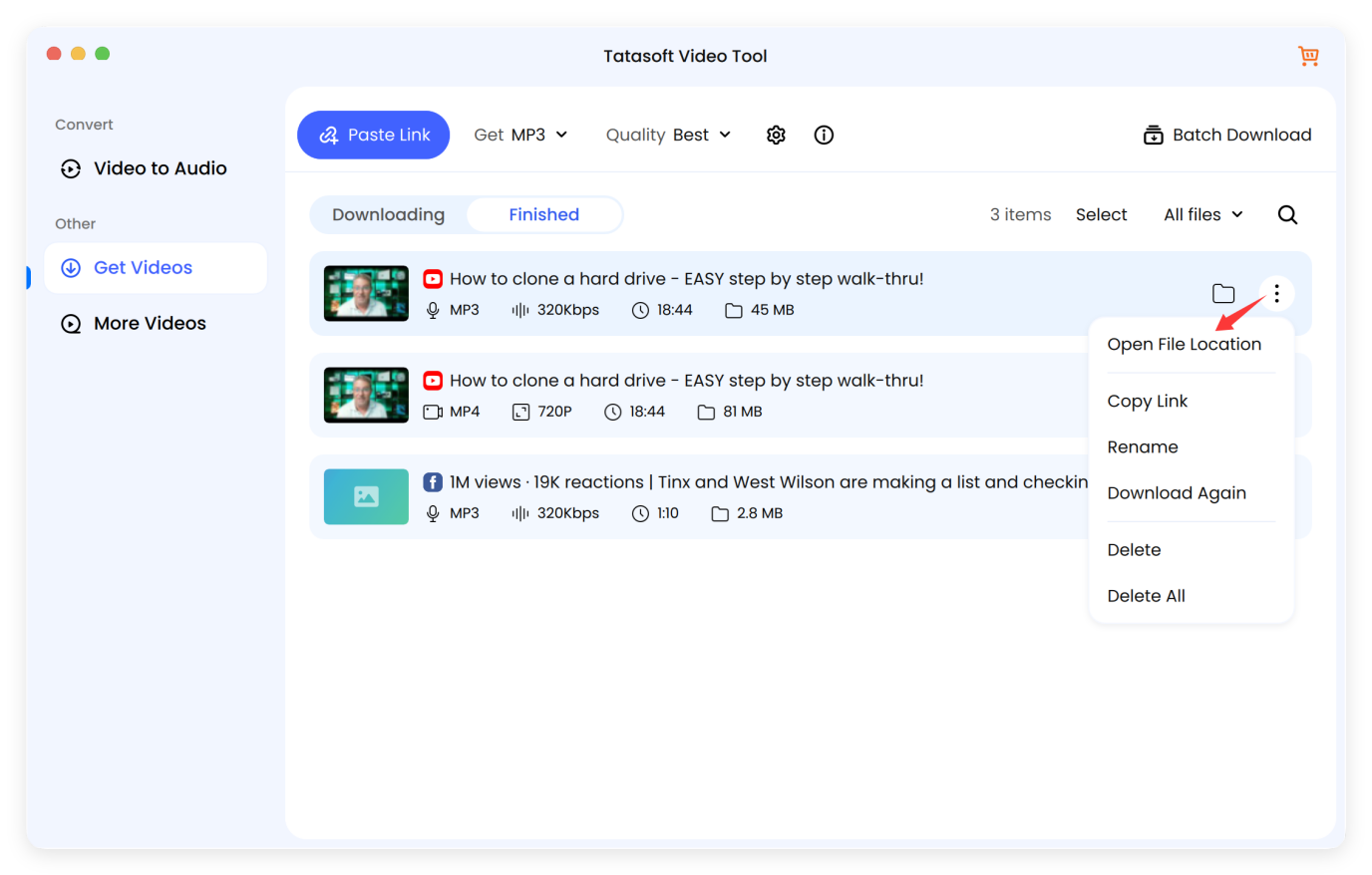
Locate the downloaded music file by clicking the three dots option and choose Open File Location to access the downloaded music file in your chosen folder and play it offline. Unlike native recording, Tatasoft attempts to fetch the thumbnail and artist info, saving you hours of manual tagging.
Pro Tip: If you find a rare performance on other platforms, Tatasoft is versatile enough to convert Facebook video to MP3 or capture audio from Vimeo and Instagram.
Apple's Gatekeeper and SIP (System Integrity Protection) are designed to keep you safe, but they can make downloading music tricky:
Once you've downloaded your tracks, the "Experience" doesn't end there. Here is how I manage my professional Mac music library:
| Action | Why it Matters |
|---|---|
| Smart Playlists | Create a "Recently Downloaded" playlist in the Music App to find new tracks instantly. |
| AirDrop Sync | Quickly move a 320kbps MP3 to your iPhone for high-quality gym sessions. |
| Finder Tags | Use the "Purple" tag for "Sample Candidates" and "Green" for "Finished Tracks." |
Building a curated, offline music library is a rewarding experience for any Mac user. While native tools like QuickTime work for a quick fix, they lack the precision and quality required for a professional collection. For a seamless, high-bitrate experience, using a dedicated YouTube video downloader like Tatasoft video Tool is the most efficient path. It offers high-quality audio extraction, multiple formats, and a smooth user experience, perfect for creating your offline music collection.
Always ensure tracks are royalty-free or that you have the right to use them to avoid copyright violations. Following these steps lets you build a music library safely, efficiently, and compatible with your Mac.
A dedicated technical writer at Tatasoft with over four years of specialized expertise in computing technology. She crafts actionable, user-centric content for tech niches, specializing in disk cloning, data management, and video solutions for Windows and Mac.
Read full bio
This article has been approved by Ben Lee. Ben's dedication to excellence and his comprehensive knowledge of Windows and Mac technologies make him an essential part of any technical writing team. With a career marked by continuous learning and adaptation to new technologies, Ben remains at the forefront of the ever-evolving tech landscape.